Introduction
Creating professional-quality videos and podcasts traditionally required complex software, technical knowledge, and hours of manual editing. Timeline-based editors can feel overwhelming, especially for beginners. This is where Descript introduces a different approach.
Descript is an AI-powered audio and video editing platform that allows users to edit recordings by simply editing text. Instead of cutting clips manually in a timeline, you edit the transcript of your recording—and the software automatically updates the audio and video.
This article provides a detailed, neutral, and structured overview of Descript, including its features, pricing model, advantages, limitations, comparisons, and ideal use cases.
What Is Descript?
Descript is an all-in-one content creation and editing tool designed for spoken-word media. It combines:
- Audio editing
- Video editing
- Transcription
- Screen recording
- AI voice tools
- Collaboration features
Its defining feature is text-based editing. Once you upload a video or audio file, Descript automatically converts speech into text. You can then edit that transcript like a Word document. If you delete a sentence in the transcript, the corresponding audio or video segment is removed instantly.
This workflow significantly reduces the learning curve compared to traditional video editing software.
Core Features of Descript
1. Text-Based Editing (Main Innovation)
Descript’s editing model centers around transcripts. Key functions include:
- Automatic speech-to-text conversion
- Delete or rearrange text to edit media
- Highlight sections to remove them
- Copy and paste parts of recordings
This approach works particularly well for interviews, podcasts, webinars, and tutorial videos where speech is the primary focus.
2. Automatic Transcription & Subtitles
Descript provides built-in transcription tools that:
- Convert speech to text automatically
- Support multiple languages
- Generate subtitles and captions
- Allow subtitle customization
- Export captions separately
Captions are increasingly important for social media engagement, accessibility, and search visibility. Having this feature integrated into the editor reduces the need for external tools.
3. Studio Sound (AI Audio Enhancement)
One of Descript’s popular AI tools is Studio Sound, which enhances audio quality by:
- Reducing background noise
- Balancing voice levels
- Improving clarity
- Minimizing echo
This feature is particularly useful for creators recording from home without professional studio equipment.
4. Remove Filler Words
Descript can automatically detect and remove filler words such as:
- “Um”
- “Uh”
- “You know”
- Repeated phrases
Editors can review suggested removals before applying changes. This helps speed up podcast and interview editing.
5. Overdub (AI Voice Cloning)
The Overdub feature allows users to:
- Create a digital version of their voice
- Insert new words without re-recording
- Correct mistakes in narration
This can save time when minor corrections are needed. However, responsible usage is important, especially when creating synthetic voice content.
6. Screen Recording & Webcam Capture
Descript includes a built-in screen recorder that allows:
- Screen capture for tutorials
- Webcam overlay recording
- Instant editing after recording
- Sharing via link
This makes it useful for educators, software demo creators, and remote teams.
7. Multitrack Editing
While Descript emphasizes text editing, it also supports:
- Multiple audio tracks
- Music overlays
- Basic video layering
- Simple transitions
However, it does not offer the advanced visual effects found in high-end video production software.
Pricing Structure
Descript follows a subscription-based pricing model. Plans generally include:
Free Plan
- Limited transcription hours
- Basic editing tools
- Watermarked exports
- Access to core features for testing
Creator Plan
- Increased transcription limits
- No watermark
- Access to more AI tools
Pro Plan
- Advanced AI features
- Higher export quality
- More usage capacity
Enterprise Plan
- Team collaboration
- Centralized billing
- Priority support
- Custom limits
Costs vary based on transcription hours and AI feature usage. Users should review plan details carefully before subscribing.
Who Should Use Descript?
Descript is most suitable for:
Ideal Users
- Podcasters
- YouTube educators
- Online course creators
- Marketing teams
- Content creators focused on speech-driven content
- Remote teams producing internal videos
Less Suitable For
- Professional filmmakers
- Advanced motion graphics designers
- High-end cinematic video editors
- Complex animation creators
Descript prioritizes workflow simplicity over cinematic production capabilities.
Advantages of Descript
- Beginner-Friendly Interface
- Faster Editing for Spoken Content
- Integrated Transcription & Captions
- Strong AI Audio Enhancement
- Built-in Screen Recorder
- Collaboration Options
For content centered around communication rather than visual effects, it can significantly reduce editing time.
Limitations and Considerations
- Transcription Accuracy
AI transcription may require manual corrections, especially with accents or background noise. - Performance Issues
Large projects may require strong system resources. - Limited Advanced Video Effects
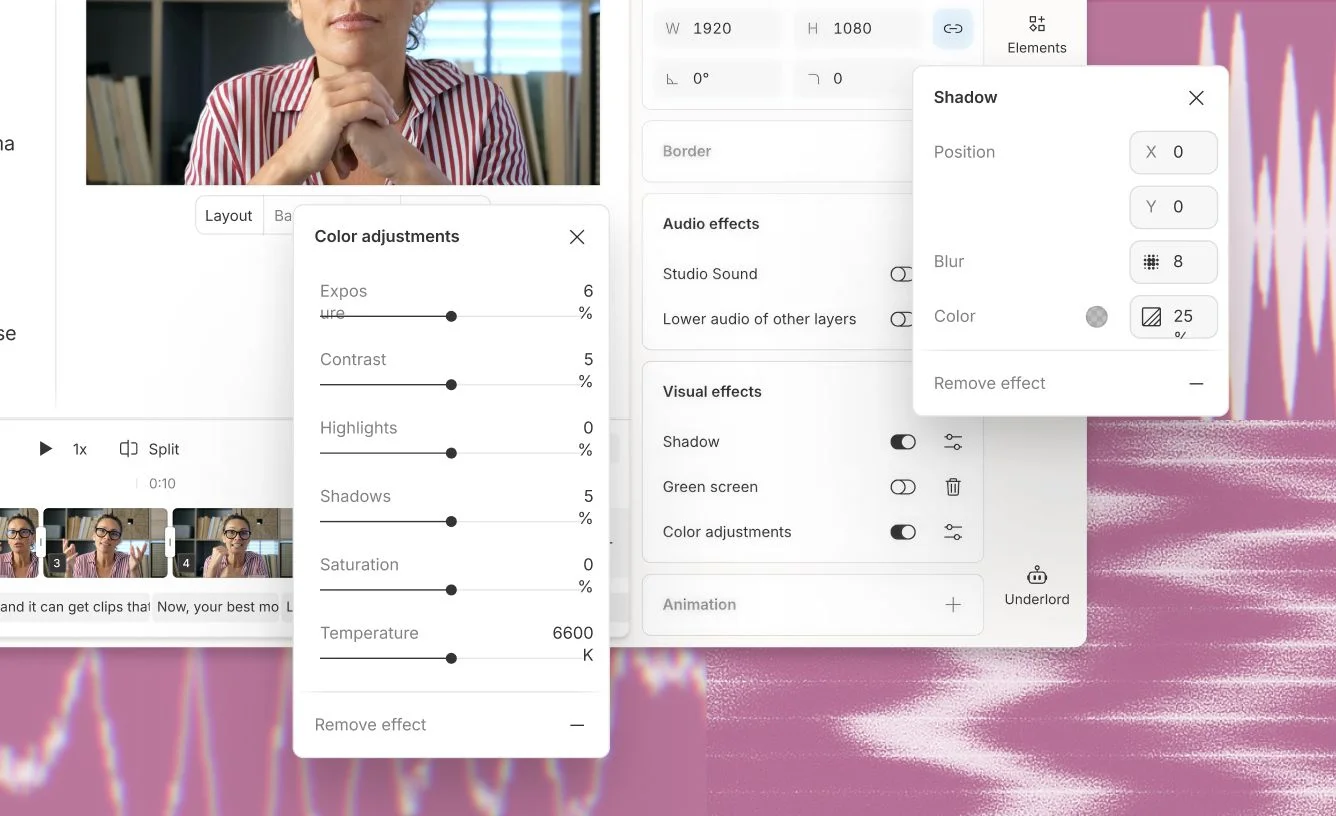
Compared to professional video editing suites, advanced color grading and visual effects are minimal. - Subscription Costs
Ongoing monthly fees may not suit occasional users. - AI Feature Limits
Some features depend on usage credits tied to subscription tiers.
Users should evaluate whether their workflow aligns with Descript’s strengths before committing.
Descript vs Traditional Video Editing Software
| Feature | Descript | Traditional Editors |
|---|---|---|
| Editing Method | Text-based | Timeline-based |
| Learning Curve | Lower | Higher |
| AI Tools | Built-in | Varies |
| Advanced Effects | Limited | Extensive |
| Ideal Content | Podcasts, Tutorials | Films, Commercials |
Descript simplifies editing by focusing on spoken content. Traditional software remains stronger for cinematic production.
Practical Use Case Example
Consider a podcaster recording a one-hour interview:
- Upload file
- Automatic transcription generated
- Remove filler words
- Delete unnecessary sections by editing text
- Apply Studio Sound
- Add intro music
- Export with subtitles
This workflow can be completed significantly faster compared to manual timeline editing.
Is Descript Worth It?
Descript can be valuable for creators who:
- Produce regular spoken content
- Want faster turnaround times
- Prefer simplified editing workflows
- Need integrated transcription
However, users should:
- Test the free plan
- Evaluate performance on their device
- Review subscription limits
- Consider long-term cost
It is best viewed as a productivity tool for communication-focused content rather than a cinematic editing suite.
Final Verdict
Descript introduces a practical shift in how audio and video content can be edited. By making transcripts the central editing interface, it reduces technical barriers and speeds up production workflows.
For podcasters, educators, marketing teams, and social media creators, it offers a streamlined solution that integrates transcription, AI audio enhancement, and editing in one platform.
While it does not replace high-end professional video production software, it effectively serves a growing segment of creators who prioritize speed, clarity, and ease of use.