Introduction
Modern professionals often work across multiple digital tools such as email, calendars, messaging platforms, and task managers. While these systems help organize work, they can also create fragmented information flows. Important tasks, deadlines, and follow-ups may become buried within notifications, threads, and meetings.
As the number of digital tools increases, users frequently spend time switching between platforms just to determine what requires attention first. This process can lead to mental overload, lost focus, and inefficient planning of daily priorities.
Tools designed to summarize and organize information aim to address this challenge by presenting the most relevant items in one place. One such platform is TheTop, which focuses on creating a structured daily overview of tasks and signals from connected tools.
What Is TheTop
TheTop is a productivity and decision-support platform that aggregates signals from various digital tools and generates a daily briefing that highlights important tasks, deadlines, and priorities.
Rather than functioning as another task management workspace, the system analyzes inputs from connected services such as email or calendars and produces a concise summary designed to help users understand what requires attention first.
The concept behind the platform is similar to having a digital “chief of staff” that organizes information and presents a structured view of the day’s priorities.
Key Features Explained
AI-Generated Daily Brief
The platform produces a summarized daily report based on information gathered from integrated tools. This brief typically includes tasks, deadlines, and updates that the system identifies as important for that day.
Integration With Common Work Tools
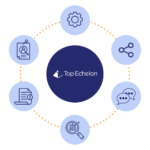
Users can connect services such as email, calendars, and collaboration platforms. The platform gathers signals from these tools and uses them to create a unified overview of activity and responsibilities.
Priority Ranking
Instead of displaying every task equally, the system attempts to rank items based on urgency and context. This helps users quickly determine which activities may require immediate attention.
Clarity Dashboard
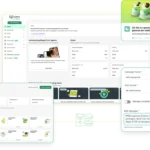
The interface presents a snapshot view of the day, showing tasks, potential follow-ups, and areas where attention might be needed. The aim is to reduce time spent navigating multiple apps.
Flexible Task Management
Users can modify the priorities suggested by the system by adding tasks, adjusting their order, or marking items as completed. This allows the daily overview to adapt to individual workflows.
Common Use Cases
Managing Complex Workflows
Professionals who rely on several digital platforms may use the tool to consolidate information from different sources into a single daily summary.
Planning Daily Priorities
The platform can serve as a morning planning resource, helping users decide which activities should be addressed first.
Monitoring Follow-Ups
Emails, meetings, or tasks that require attention can be surfaced within the daily brief, reducing the likelihood that they will be overlooked.
Balancing Personal and Professional Tasks
Because integrations may include both work and personal scheduling tools, the platform can present a combined view of daily responsibilities.
Potential Advantages
Reduced information fragmentation
By bringing signals from multiple tools into one summary, the platform may reduce the need to repeatedly switch between applications.
Clear daily overview
The daily briefing format can help users understand the most relevant tasks without scanning multiple inboxes or dashboards.
Structured prioritization
Ranking tasks by urgency may assist with planning and time management.
Cross-platform integration
Connecting multiple digital services allows users to view tasks, meetings, and communications together.
Limitations & Considerations
Dependence on integrations
The usefulness of the system depends heavily on which tools are connected. Limited integrations may reduce the accuracy of the generated overview.
AI interpretation accuracy
Automated prioritization may not always reflect a user’s personal priorities or contextual knowledge.
Subscription-based access
The platform offers paid plans with varying levels of functionality, which may affect accessibility for some users.
Adoption learning curve
Users may need time to understand how the platform organizes information and integrates with their workflow.
Who Should Consider The Top
- Professionals managing multiple communication and productivity tools
- Small business owners or operators overseeing many ongoing tasks
- Individuals seeking a simplified daily overview of responsibilities
- Users interested in AI-assisted prioritization systems
Who May Want to Avoid It
- Individuals who prefer manual task planning methods
- Users with minimal reliance on digital productivity tools
- Teams that already use comprehensive project-management platforms with built-in prioritization features
Comparison With Similar Tools
Platforms focused on productivity and information aggregation often take different approaches.
- AI summarization tools focus on generating insights from messages or documents.
- Task management software organizes tasks but typically requires manual entry.
- Dashboard aggregators display information from different services but may not provide automated prioritization.
TheTop attempts to combine these ideas by gathering signals from various tools and generating a structured daily briefing that highlights priorities automatically.
Final Educational Summary
TheTop is a productivity platform designed to simplify daily planning by aggregating information from connected tools and presenting a prioritized daily summary. Instead of functioning primarily as a task manager, it focuses on interpreting signals from emails, meetings, and other sources to highlight what may require attention.
For users dealing with fragmented workflows across multiple apps, the platform represents an attempt to reduce information overload and support decision-making about daily priorities. As with any AI-driven system, its effectiveness depends on the accuracy of integrations and how well automated prioritization aligns with individual working styles.
Disclosure
This article is an independent educational overview of a digital productivity platform. It is intended for informational purposes only and does not represent endorsement, promotion, or a recommendation to purchase or subscribe to any service.