
Introduction
If you are still using traditional cloud storage tools, chances are you are wasting valuable time every day. Searching for files, organizing folders, and managing multiple platforms can slow down even the most efficient teams.
As digital content continues to grow, especially videos and high resolution media, the need for a smarter storage solution becomes more important than ever.
Shade is designed to solve this exact problem. It combines artificial intelligence with cloud storage to create a faster, more intelligent workflow system.
But can it really compete with well known platforms like Google Drive
Let’s find out in this complete review.
Quick Summary Table
| Product | Best For | Pricing | Key Feature |
|---|---|---|---|
| Shade | Creative teams and media heavy workflows | Subscription based | AI powered file organization and search |
What is Shade?
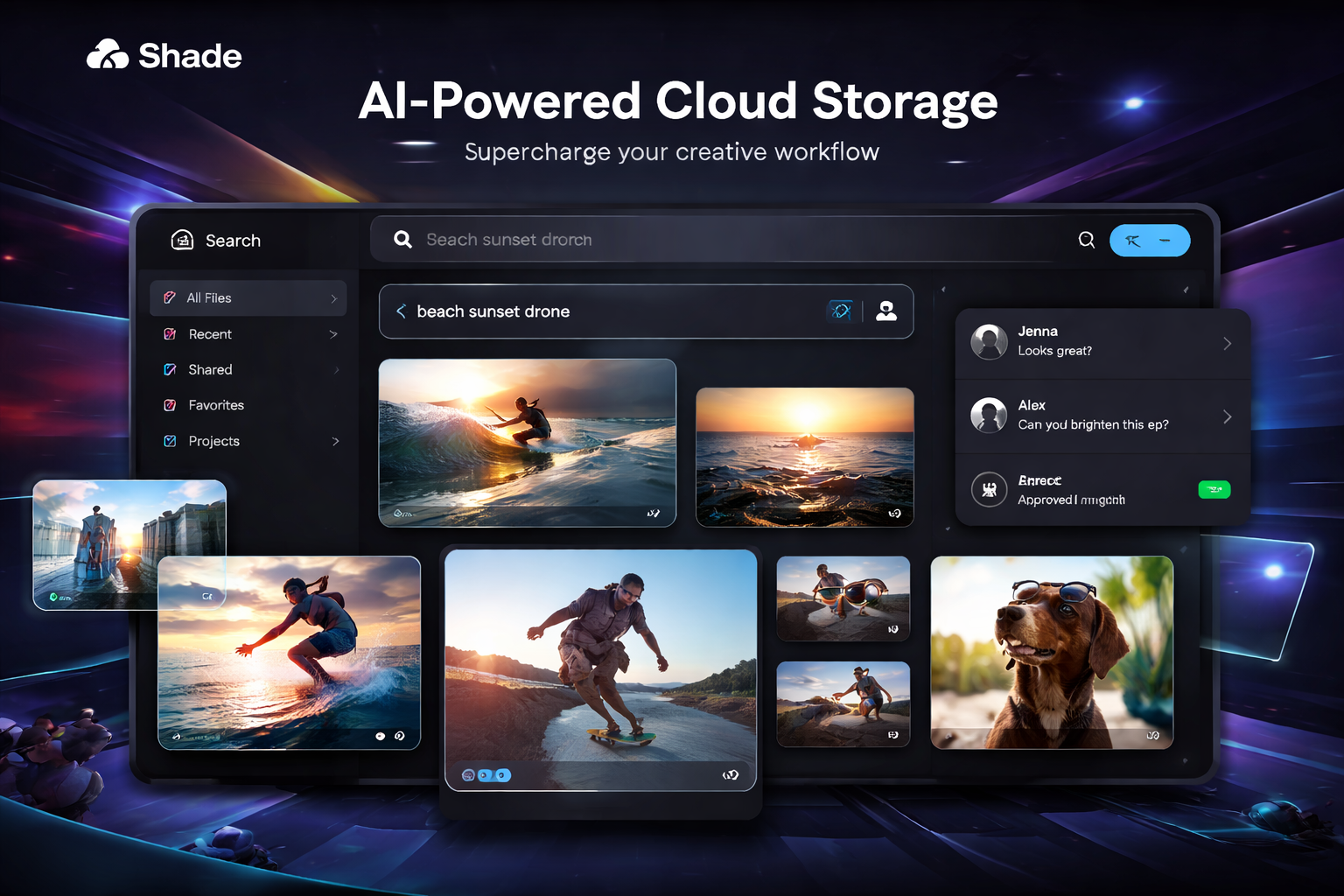
Shade is an advanced cloud storage platform that uses artificial intelligence to improve how files are stored, organized, and accessed.
Unlike basic storage systems, Shade focuses on automation and intelligence. It understands your files, categorizes them automatically, and allows you to find content using simple search queries.
This makes it especially useful for professionals working with large amounts of digital media.
Key Features with Benefits
AI Driven File Search
Shade allows users to search files based on content rather than file names.
Benefit
You can find exactly what you need in seconds without manually browsing folders.
No Download File Access
Files can be opened instantly without downloading.
Benefit
Saves time and reduces storage usage on your device.
All in One Workspace
Combines storage, sharing, and collaboration into one system.
Benefit
Eliminates the need for multiple tools and simplifies workflow.
Built In Collaboration
Users can review, comment, and approve files within the platform.
Benefit
Improves team communication and speeds up project completion.
Smart File Organization
Files are automatically categorized using AI.
Benefit
Keeps everything structured without manual effort.
Pros and Cons
Pros
Fast and intelligent file search
Handles large media files efficiently
Reduces tool dependency
Improves team productivity
Modern and scalable platform
Cons
Higher cost compared to basic storage tools
Requires time to adapt
Not necessary for simple storage needs
Comparison Shade vs Google Drive
| Feature | Shade | Google Drive |
| Core Function | AI powered storage | Traditional cloud storage |
| Search Capability | Content based search | File name based search |
| File Access | Instant streaming | Download required for large files |
| Collaboration | Advanced workflow tools | Basic sharing and editing |
| Best Use Case | Creative and media teams | General users and businesses |
Verdict
Shade is built for advanced workflows and large file management, while Google Drive is better for everyday storage and basic collaboration.
Who Should Use Shade
Shade is best suited for professionals and teams who deal with large digital assets regularly.
It is ideal for video editors, creative agencies, marketing teams, and businesses that require efficient file management and collaboration.
If your workflow depends on speed and organization, Shade can provide significant value.
Real Use Cases
A video production team can quickly find specific clips without manual searching
A marketing team can organize campaign assets more efficiently
A design agency can collaborate with clients in a single platform
A business can centralize all files and reduce software usage
Pricing Breakdown
Shade offers subscription based pricing depending on storage needs and team size.
Although it may appear costly initially, it can replace multiple tools, making it more cost effective over time.
Alternatives
Dropbox for simple file storage
Google Drive for general use
Frame io for video collaboration
LucidLink for streaming based storage
Box for enterprise level management
FAQ
1. How is Shade different from Google Drive?
Shade uses AI to organize and search files, while Google Drive relies on manual organization
2. Can Shade handle large media files?
Yes it is designed specifically for handling large files efficiently
3. Is Shade suitable for teams?
Yes it offers built in collaboration tools for teams
4. Is it difficult to use?
There may be a learning curve initially, but it becomes easy with use
5. Is Shade worth the price?
It is worth it for professionals who need better workflow efficiency
Final Verdict
Shade is a powerful upgrade from traditional cloud storage systems. It brings intelligence, automation, and efficiency into file management.
If you are working with large files and complex workflows, Shade can significantly improve productivity.
However, for basic storage needs, simpler tools like Google Drive may still be sufficient.
Overall, Shade is a strong choice for professionals looking to modernize their workflow.
