
Introduction
Handling large files across multiple platforms can quickly become overwhelming. Creative professionals often deal with slow uploads, scattered storage, and endless searching for the right file. This not only wastes time but also reduces productivity.
Shade aims to solve this problem by offering an all in one AI powered cloud storage platform. It combines smart file organization, instant search, and seamless collaboration into a single system. But is it really worth it
This detailed review will help you decide.
Quick Summary Table
| Product | Best For | Pricing | Key Feature |
|---|---|---|---|
| Shade | Creative teams and media workflows | Subscription based | AI powered file search and streaming |
What is Shade?
Shade is an advanced cloud storage and digital asset management platform built for modern teams. Unlike traditional storage tools, it focuses on intelligent file handling using artificial intelligence.
It allows users to store, organize, search, and collaborate on files without switching between multiple tools. The platform is especially useful for handling large media files such as videos, images, and audio content.
Key Features with Benefits
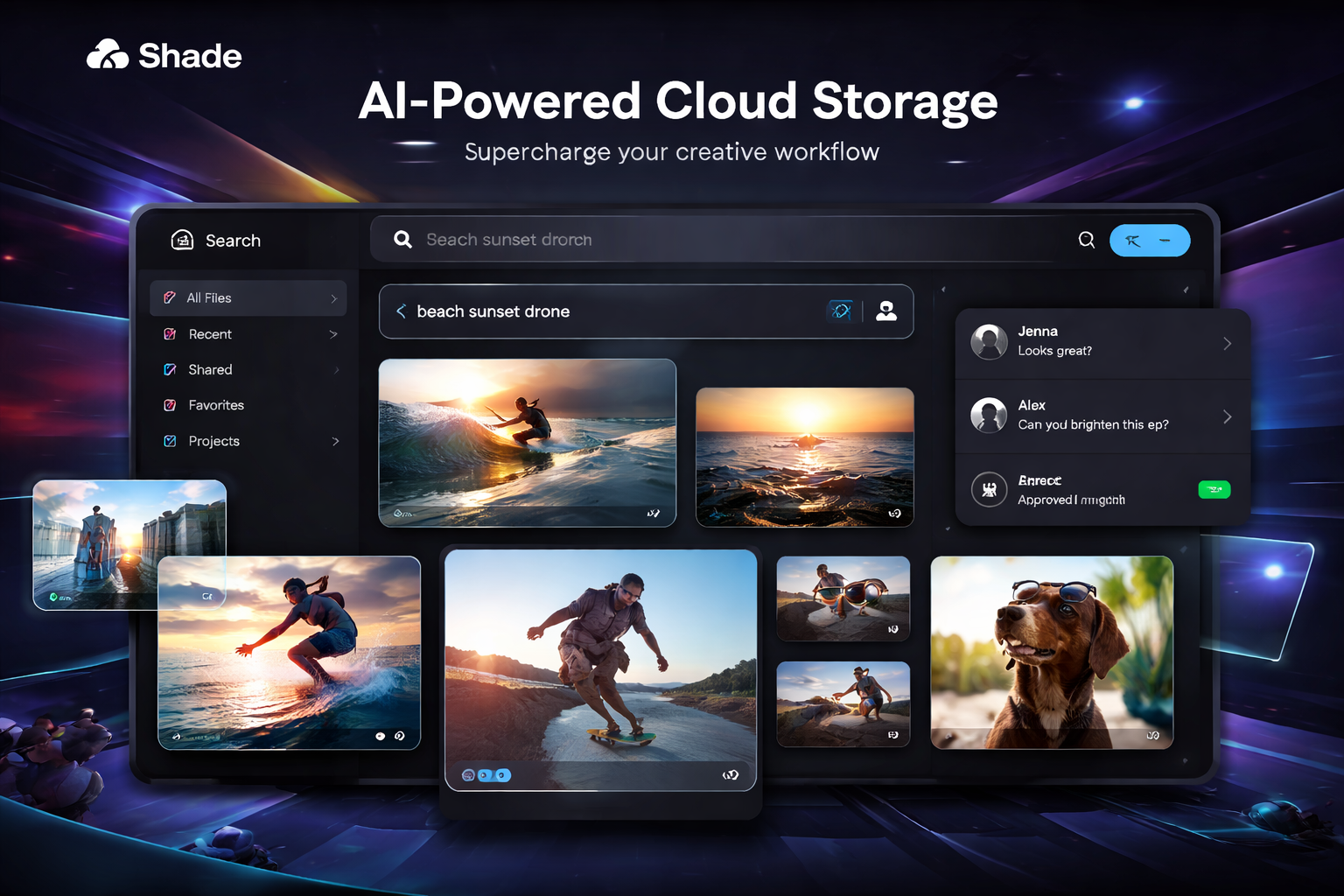
AI Powered Search and Auto Tagging
Shade automatically analyzes and tags files using artificial intelligence.
Benefit
You can find files instantly by typing simple descriptions instead of remembering file names.
Streaming Access Without Downloads
Users can access large files without downloading them.
Benefit
Saves storage space and time, especially for teams working with heavy media files.
Built In Collaboration Tools
The platform includes commenting, sharing, and approval features.
Benefit
Teams can review and finalize projects without using additional software.
Unified Storage System
Shade connects different storage sources into one interface.
Benefit
Everything becomes accessible from a single dashboard, reducing confusion.
Version Control and File History
Tracks changes and maintains file versions.
Benefit
Prevents data loss and ensures you always have access to previous versions.
Pros and Cons
Pros
Highly efficient AI search system
Reduces need for multiple tools
Great for handling large files
Supports team collaboration
Scalable for growing businesses
Cons
Pricing may not suit beginners
New platform with limited tutorials
Initial learning curve
Comparison Shade vs Tresorit
| Feature | Shade | Tresorit |
|---|---|---|
| Core Focus | AI asset management | Secure cloud storage |
| AI Features | Advanced | Minimal |
| Security | Strong | Very strong |
| Collaboration | Advanced tools | Basic sharing |
| Best For | Creative teams | Privacy focused users |
Verdict:
Shade is better for workflow automation and media management. Tresorit is better for users who prioritize maximum data security.
Who Should Use Shade
Shade is ideal for professionals who handle large volumes of digital content.
It works best for video editors, creative agencies, marketing teams, and remote collaborators. Businesses that want to simplify workflows and improve efficiency will benefit the most.
Real Use Cases
Video production teams can quickly locate clips without manual sorting.
Photography studios can organize thousands of images using smart tagging.
Remote teams can collaborate on projects without downloading files.
Businesses can replace multiple tools with a single system.
Pricing Breakdown
Shade follows a subscription based pricing model. Costs depend on the number of users and storage requirements.
While it may seem expensive initially, it can reduce overall costs by replacing several tools with one platform.
Alternatives
Dropbox is suitable for basic storage needs
Google Drive is budget friendly and widely used
Frame io is ideal for video collaboration
LucidLink offers cloud streaming storage
Box works well for enterprise file management
FAQ
1. What makes Shade different from other cloud storage tools?
Shade uses AI to automate file organization and searching, making it faster and more efficient than traditional storage platforms
2. Is Shade suitable for beginners?
It can be used by beginners, but there may be a learning curve initially
3. Can Shade handle large video files?
Yes it is designed specifically for large media files and allows streaming access
4. Is Shade secure?
Yes it includes strong security features suitable for professional use
5. Is Shade worth the investment?
Yes if you manage large files and need better productivity and collaboration
Final Verdict
Shade stands out as a powerful AI driven cloud storage solution designed for modern workflows. It goes beyond basic storage by offering automation, collaboration, and intelligent file management.
If you are managing complex projects or large media files, Shade can significantly improve efficiency. However, it is best suited for professionals and teams rather than casual users.
Overall, Shade is a strong choice for anyone looking to upgrade their file management system.
