
Introduction
The way people store, access, and manage digital files has changed significantly over the past two decades. Many individuals now work across multiple devices, including desktop computers, laptops, tablets, and smartphones. While this multi-device environment increases flexibility, it also introduces challenges related to file consistency and accessibility.
One of the most common problems in modern digital workflows is keeping the same files updated across different devices. A document edited on a laptop may not automatically appear on a desktop computer. A photo saved on a phone may remain isolated from a main computer storage system. Without a structured approach to synchronization, files can quickly become fragmented across multiple locations.
To address this issue, a category of software known as file synchronization tools has emerged. These applications automate the process of updating files across devices so that each connected system contains the latest version. Some synchronization tools rely on cloud storage systems, while others focus on direct device-to-device synchronization through local networks.
Laplink Sync is part of this software category. Developed by Laplink Software, the tool is designed to synchronize folders and files across computers and mobile devices while maintaining consistent versions across connected systems. Understanding how Laplink Sync operates requires examining the broader technology behind synchronization tools and the practical scenarios where they are used.
What Is Laplink?
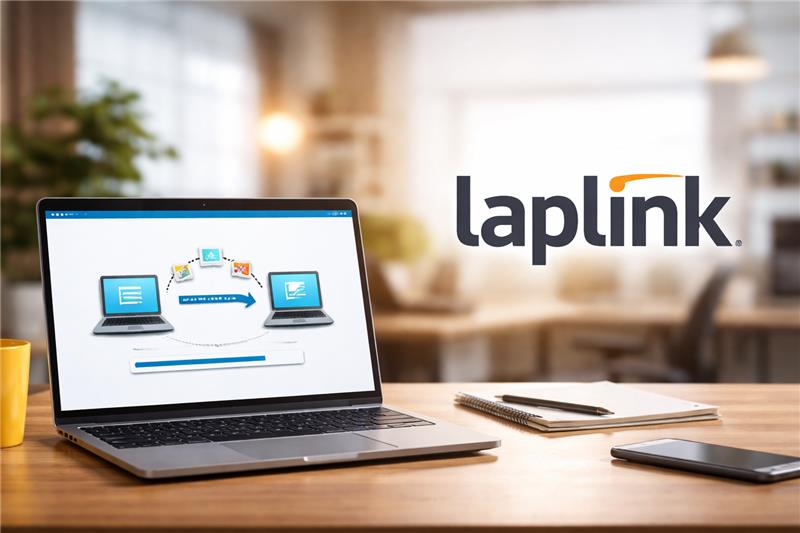
Laplink Sync is a file synchronization software application designed to maintain consistent files across multiple devices. The software allows users to select specific folders and configure them so that any changes made on one device are automatically reflected on others connected within the synchronization network.
The program belongs to the broader class of data synchronization and file transfer tools, which are commonly used in environments where users operate more than one computer or digital device.
Unlike traditional file transfer utilities that copy files once and stop, Laplink Sync continuously monitors selected folders. When changes occur—such as editing a document, adding new files, or deleting items—the software detects those changes and updates the same folders across the connected devices.
The platform typically operates through local network connections, allowing devices to communicate directly with each other. Instead of storing files in a centralized cloud repository, the software can synchronize copies between participating systems.
This design places Laplink Sync within the category of peer-to-peer synchronization tools, where each device acts as both a sender and receiver of file updates.
Key Features Explained
Multi-Device File Synchronization
A central capability of Laplink Sync is synchronizing files across several devices simultaneously. Once devices are connected and configured, folders designated for synchronization remain consistent across the entire device group.
If a file is edited on one system, the update can be reflected on other devices in the synchronization network.
Two-Way File Updates
Many traditional transfer utilities operate in a single direction, meaning files only move from one computer to another. Laplink Sync supports two-way synchronization, allowing updates made on any connected device to propagate across the entire network of synced folders.
This approach helps maintain consistent file versions regardless of where the modification occurred.
Selective Folder Management
Instead of synchronizing an entire storage drive, the software allows users to select specific directories. This selective synchronization reduces unnecessary file duplication and enables users to focus on important project folders, documents, or media collections.
Automatic Change Detection
Laplink Sync includes monitoring functions that detect when files are added, removed, renamed, or modified within synchronized directories. These changes trigger synchronization events that update other connected devices.
Automatic change detection is essential for maintaining accurate file versions without requiring manual copying.
Conflict Management
Situations can arise where the same file is edited on two devices before synchronization occurs. Laplink Sync includes conflict detection features designed to identify these scenarios and present multiple file versions so the user can determine which version should be retained.
Conflict resolution mechanisms help prevent accidental data overwrites.
Network-Based Synchronization
The software operates through network communication between devices. This typically involves connecting systems through a home or office network, enabling files to transfer directly between machines.
Network-based synchronization may provide faster file transfer speeds compared with remote data transfers, depending on network conditions.
Common Use Cases
File synchronization tools such as Laplink Sync are used in a variety of real-world scenarios.
Multi-Computer Personal Workflows
Individuals who work on both desktop computers and laptops often need the same files on both machines. Synchronization software can keep project folders updated automatically across devices.
File Organization Across Devices
Many people accumulate documents, photos, and videos across different devices. Synchronization tools can consolidate these files into organized folders that remain consistent across systems.
Small Office Collaboration
Small teams sometimes maintain shared folders for collaborative projects. Synchronization software can distribute updates across the computers of multiple team members working on the same materials.
Backup-Like File Replication
Although not a dedicated backup tool, synchronization software can create copies of files across several devices, reducing the risk of losing data stored on only one machine.
Transition Between Computers
When users move from an older computer to a new one, synchronization tools can assist in transferring folders gradually instead of requiring a single large transfer session.
Potential Advantages
Direct Device Communication
One distinguishing aspect of Laplink Sync is its ability to synchronize files directly between devices without necessarily relying on centralized online storage services.
This approach may appeal to users who prefer local network file transfers.
Flexible Folder Selection
Selective synchronization allows users to determine which folders should remain synchronized, helping avoid unnecessary duplication of large files.
Multi-Platform Device Support
Synchronization across different operating systems allows users to maintain consistent files regardless of the device being used.
Continuous File Monitoring
Automatic change detection reduces the need for manual file transfers and helps maintain updated versions across connected systems.
Local Network Efficiency
When devices are connected to the same network, data transfers can occur quickly without requiring internet bandwidth.
Limitations & Considerations
Network Dependency
Devices must remain connected to the same network or accessible communication channels in order for synchronization to occur. Disconnected devices may delay updates.
Storage Requirements
Maintaining synchronized folders across multiple devices can increase total storage usage because each system may store its own copy of the files.
File Conflict Management
While the software detects conflicting edits, resolving these conflicts requires user decisions to determine which version should remain.
Configuration Complexity
Initial setup may involve selecting folders, connecting devices, and configuring synchronization settings. Users unfamiliar with network-based software may require additional time to complete configuration.
Not a Full Backup System
Although synchronization replicates files across devices, it does not replace dedicated backup systems designed for long-term data protection and recovery.
Who Should Consider Laplink
Certain user groups may find file synchronization tools like Laplink Sync useful.
Multi-Device Users
Individuals who frequently switch between computers may benefit from automatic file consistency across systems.
Small Teams
Small groups working on shared projects may use synchronization tools to maintain identical folder structures across multiple workstations.
Users Preferring Local Data Transfers
Some individuals prefer device-to-device synchronization rather than cloud storage due to privacy or bandwidth considerations.
Home Office Environments
Remote workers who maintain separate home and work computers sometimes rely on synchronization tools to keep documents aligned across systems.
Who May Want to Avoid It
While synchronization software has many practical uses, it may not be appropriate for every situation.
Large Enterprise Organizations
Large organizations often require centralized data management platforms with auditing and administrative controls beyond the scope of simple synchronization tools.
Real-Time Cloud Collaboration Users
Teams relying on real-time collaborative editing platforms may prefer integrated cloud document systems instead of local synchronization.
Minimal File Transfer Users
Individuals who rarely move files between devices may not need dedicated synchronization software.
Environments With Strict Storage Policies
Organizations with strict centralized storage requirements may prefer solutions where files remain on managed servers rather than replicated across devices.
Comparison With Similar Tools
Laplink Sync operates within a broad ecosystem of file management technologies.
Cloud Synchronization Platforms
Many modern file synchronization systems rely on cloud servers to store files and distribute updates. These services upload files to remote storage and then download updated versions to connected devices.
Laplink Sync focuses more on direct synchronization between devices, particularly within local networks.
System Migration Software
Another category of tools focuses on transferring entire systems from one computer to another. These applications typically migrate files, settings, and applications during hardware upgrades.
Laplink Sync primarily manages file synchronization rather than full system migration.
Remote Access File Tools
Some software tools allow users to access files remotely from another computer without creating local copies. In contrast, synchronization tools maintain actual file copies on each connected device.
Each category addresses different operational needs related to file accessibility, transfer, and storage.
Final Educational Summary
As digital workflows expand across multiple devices, the need for efficient file management strategies has grown. File synchronization tools aim to address this challenge by ensuring that important files remain consistent across computers, mobile devices, and shared workstations.
Laplink Sync represents a solution within this category, focusing on synchronizing folders across connected devices using network-based communication. Its core functions include monitoring selected directories, detecting changes, and distributing updated files across systems.
While the software provides mechanisms for maintaining consistent file versions, it also requires thoughtful configuration and network connectivity. Understanding how synchronization software works allows users to evaluate whether such tools align with their technical environment and file management practices.
In an era where information moves constantly between devices, synchronization tools continue to play an important role in maintaining organized and accessible digital files.
Disclosure: This article is for educational and informational purposes only. Some links on this website may be affiliate links, but this does not influence our editorial content or evaluations.
