Introduction
As digital products become more complex, users often need guidance to understand how to navigate interfaces, complete tasks, or use specific features. Whether it’s onboarding new customers, training employees, or providing product tutorials, clear guidance plays an important role in user experience. Without structured instructions, users may struggle to complete tasks efficiently, which can lead to confusion or reduced engagement.
To address this challenge, a category of tools known as interactive guide and product walkthrough software has emerged. These tools are designed to help businesses create step-by-step instructions, tutorials, and guided experiences directly within websites or applications. Instead of relying solely on static documentation, these solutions aim to provide contextual help where users need it most.
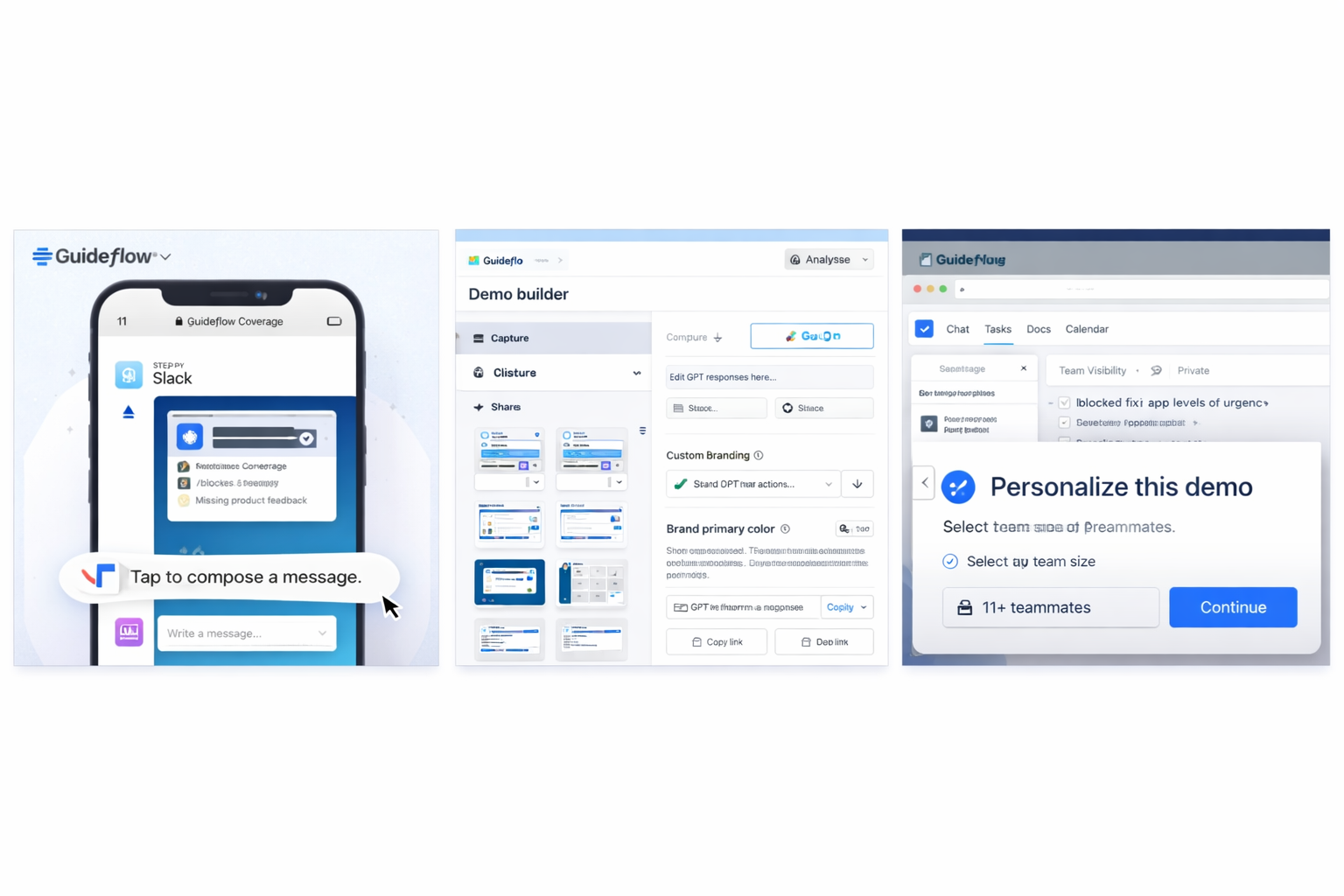
Guideflow is one such tool that focuses on creating interactive product guides and walkthroughs. It allows teams to build visual, step-by-step instructions that can be embedded into websites, shared with users, or used internally for training. These guides often include screenshots, tooltips, and clickable steps to simulate real product interactions.
What Is Guideflow?
Guideflow is a web-based platform designed to create interactive product guides and walkthroughs. It belongs to the category of product onboarding tools and interactive documentation software. These tools are typically used to help users understand how to use digital products through guided, step-by-step instructions.
The platform allows users to record workflows or processes within a web application and convert them into structured guides. These guides can include screenshots, annotations, and interactive elements that simulate user actions. The result is a visual walkthrough that demonstrates how to complete specific tasks.
Guideflow is commonly used by product teams, customer success teams, and educators who need to explain processes clearly. For example, a company might use it to create onboarding tutorials for new users, while a support team might use it to provide step-by-step solutions to common issues.
The tool operates through a browser-based interface, making it accessible without requiring complex installations. Users can create, edit, and share guides online, and in some cases, embed them directly into websites or knowledge bases.
It is important to note that Guideflow does not replace full documentation systems but acts as a complementary tool that focuses on visual and interactive instructions. Its effectiveness depends on how well the guides are created and maintained.
Key Features Explained
Guideflow includes a range of features that support the creation and sharing of interactive guides. These features are designed to simplify the process of documenting workflows.
One of the main features is workflow recording. Users can capture actions performed within a web application, and the system automatically generates steps based on those actions. This reduces the need to manually document each step.
Another feature is step-by-step guide creation, where users can edit and organize recorded steps into a structured format. Each step may include text descriptions, screenshots, and visual indicators to guide the viewer.
The platform also supports interactive elements, such as clickable steps or simulated navigation. This allows users to follow along with the guide in a more engaging way compared to static instructions.
Embedding and sharing options are also available. Guides can be shared via links or embedded into websites, help centers, or internal tools. This makes it easier to distribute instructions to different audiences.
Guideflow may also provide customization options, allowing users to adjust the appearance of guides, including branding and layout. This helps maintain consistency with existing platforms.
Additionally, the tool can be used for internal documentation, enabling teams to create training materials for employees or onboarding resources for new hires.
Common Use Cases
Guideflow is used in various scenarios where clear, visual instructions are required. One common use case is user onboarding, where companies create guided tutorials to help new users understand how to use a product. This can reduce the need for manual support and improve the onboarding experience.
Another use case is customer support documentation. Support teams can create step-by-step guides to address common issues, allowing users to follow instructions independently. This can help reduce repetitive support requests.
In employee training, Guideflow can be used to create internal guides that explain workflows, tools, or processes. This is particularly useful for onboarding new team members or standardizing procedures.
Product demonstrations are another application. Teams can create guides that showcase how features work, which can be shared with potential users or stakeholders for educational purposes.
It is also used in process documentation, where organizations need to document workflows for consistency and compliance. Visual guides can make these processes easier to understand compared to text-heavy documentation.
Potential Advantages
One potential advantage of Guideflow is its ability to simplify documentation creation. By recording workflows automatically, it reduces the time required to create step-by-step guides.
Another advantage is visual clarity. Screenshots and interactive elements can make instructions easier to follow compared to plain text.
The platform may also support consistent knowledge sharing, as guides can be reused across different teams or audiences.
There is also the benefit of flexibility in sharing, allowing guides to be embedded or distributed through links, depending on the use case.
Additionally, interactive guides can help improve user understanding, especially for complex processes that are difficult to explain through written instructions alone.
Limitations & Considerations
Despite its usefulness, Guideflow has certain limitations. One consideration is its reliance on visual recording, which may require updates whenever the interface of the underlying product changes.
Another limitation is dependence on browser environments, as the tool is primarily designed for web-based workflows. It may not fully support desktop or non-browser applications.
There may also be a learning curve for creating well-structured guides. While recording is automated, organizing and refining content still requires effort.
Customization limitations may exist, especially for users who require highly specific formatting or advanced interactivity.
Additionally, users should consider data privacy and access control, particularly when creating guides that include sensitive information or internal processes.
Who Should Consider Guideflow
Guideflow may be suitable for product teams, educators, and support teams that need to create interactive guides for users or employees. It is particularly relevant for organizations that rely on web-based applications and want to improve onboarding or documentation processes.
Who May Want to Avoid Guideflow
This tool may be less suitable for users who only need basic text-based documentation or those working with non-digital workflows. It may also not be ideal for environments where frequent interface changes make guide maintenance difficult.
Comparison With Similar Tools
Guideflow operates in a space that includes tools like Scribe, UserGuiding, and Loom-based tutorials. While these tools share similar goals, they differ in how they capture workflows and present instructions.
Some tools focus more on static documentation, while others emphasize in-app guidance. Guideflow combines recording and interactive walkthroughs, though the level of interactivity and customization may vary.
Final Educational Summary
Guideflow is an interactive guide creation tool designed to help users document and share workflows through visual, step-by-step instructions. It supports onboarding, training, and documentation by providing an alternative to traditional text-based guides.
While it offers practical features for creating visual content, it also has limitations related to maintenance, customization, and platform compatibility. Its effectiveness depends on the specific needs of the user and the complexity of the workflows being documented.
Readers should evaluate such tools based on their requirements, including the type of content they need to create, the platforms they use, and the level of interactivity required.
Disclosure: This article is for educational and informational purposes only. Some links on this website may be affiliate links, but this does not influence our editorial content or evaluations.