Introduction
Managing business finances is an essential but often complex task, especially for freelancers and small businesses. Activities such as creating invoices, tracking expenses, recording payments, and preparing financial reports require consistency and accuracy. Many businesses initially rely on spreadsheets or manual methods, which can become difficult to manage as operations grow.
To simplify financial management, cloud accounting software is widely used. These tools help organize financial data, automate routine tasks, and provide a clearer view of business performance.
FreshBooks is one such platform designed to support everyday accounting and invoicing needs.
What Is FreshBooks?
FreshBooks is a cloud-based accounting and invoicing platform that helps businesses manage financial tasks such as billing, expense tracking, and reporting through an online system.
It belongs to:
- Accounting Software
- Invoicing & Billing Tools
- Financial Management Platforms
It is commonly used by:
- Freelancers and independent professionals
- Small business owners
- Agencies and consultants
- Service-based businesses
The platform is designed to simplify financial workflows and make accounting tasks more accessible for users without deep financial expertise.
Key Features Explained
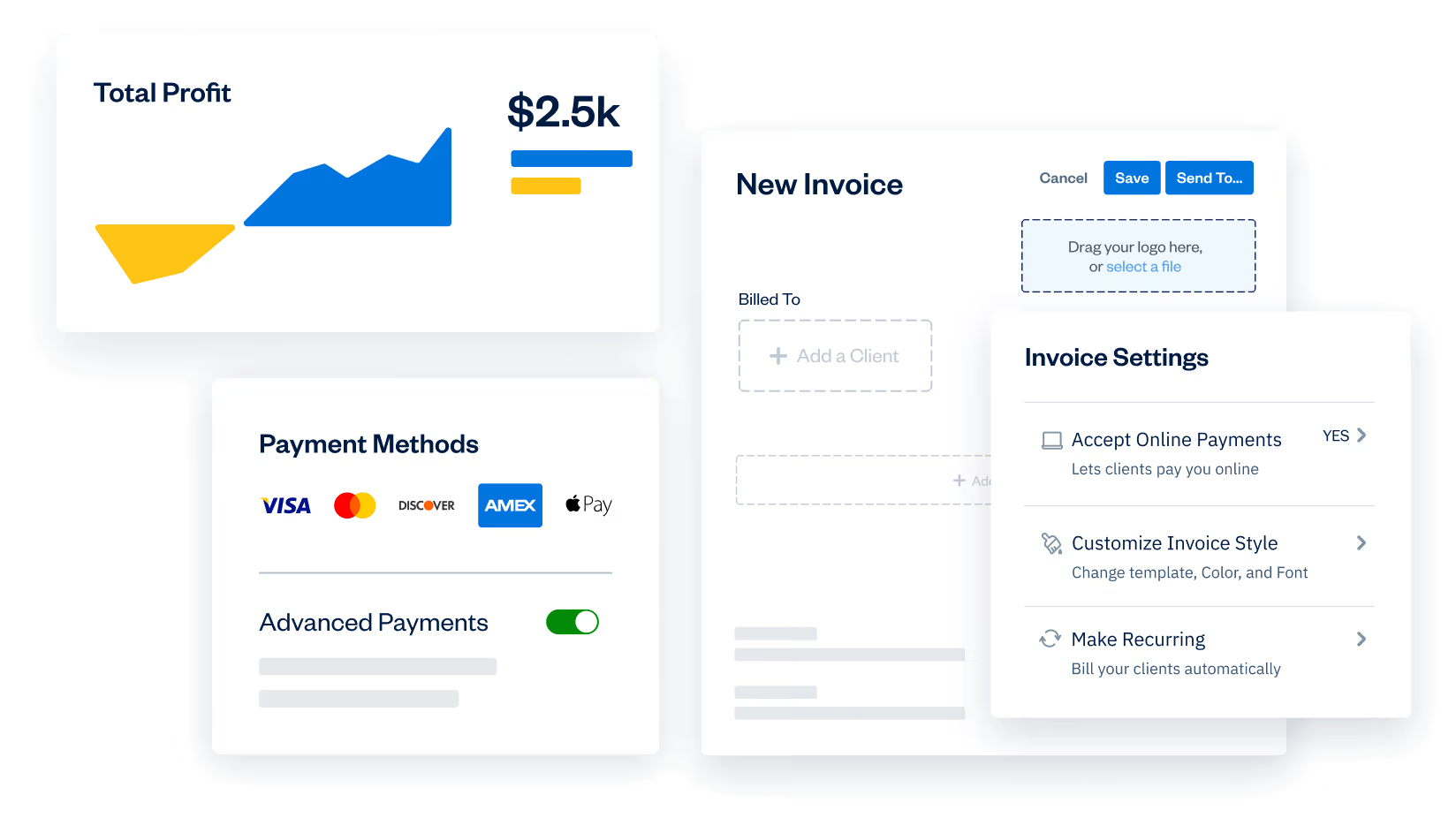
FreshBooks provides a system where users can create and send invoices digitally, allowing businesses to bill clients without relying on manual paperwork. It supports recurring billing and automated reminders, which helps maintain consistency in payment collection.
The platform also includes expense tracking, enabling users to record and categorize business expenses in one place. By linking bank accounts or uploading receipts, users can maintain organized financial records and monitor spending patterns over time.
Another important feature is time tracking. Users can log hours spent on projects and assign that time to specific clients. This is particularly useful for service-based professionals who charge based on time, as the recorded hours can be directly converted into invoices.
FreshBooks also offers financial reporting tools that generate summaries such as profit and loss statements, expense reports, and tax summaries. These reports help users understand their financial position and prepare for accounting or tax-related tasks.
In addition, the platform supports online payments by allowing clients to pay invoices through integrated payment methods. This reduces the need for manual follow-ups and simplifies the payment process.
The system also allows collaboration by enabling users to invite accountants or team members with controlled access. This makes it easier to share financial data securely and work together on accounting tasks.
Common Use Cases
FreshBooks is commonly used by freelancers to manage client billing, track time, and handle payments in a structured way.
Small businesses use it to monitor income and expenses, maintain financial records, and generate reports for decision-making.
Agencies often use the platform to manage multiple clients, track billable hours, and organize invoicing workflows.
It is also used during tax preparation periods, as organized financial data and reports can simplify the process.
Potential Advantages
FreshBooks provides a centralized way to manage financial activities, which can reduce reliance on manual tools like spreadsheets. It combines invoicing, expense tracking, and reporting in a single platform, helping users organize their financial workflows.
The platform is designed to be accessible, which can make accounting tasks easier for non-experts. Cloud access allows users to manage finances from different devices.
These advantages depend on the type of business and how the platform is used.
Limitations & Considerations
FreshBooks may not include all advanced accounting features required by larger businesses, such as detailed inventory management or complex financial controls.
As a cloud-based platform, it depends on internet access, which may limit usability in offline situations.
Users without prior accounting knowledge may still need time to understand financial reports and terminology.
The platform’s features may vary depending on the subscription plan, which can affect access to certain tools.
For businesses with more complex accounting needs, additional or alternative software may be required.
Who Should Consider FreshBooks
FreshBooks may be suitable for freelancers, small businesses, and service-based professionals who need a structured way to manage invoicing and basic accounting tasks.
Who May Want to Avoid It
It may not be ideal for large enterprises or businesses requiring advanced accounting systems. Users looking for fully offline solutions or highly customized financial workflows may also find it less suitable.
Comparison With Similar Tools
Tools like QuickBooks offer more advanced accounting features for larger businesses, while Xero focuses on cloud-based accounting with strong integrations. Zoho Books provides similar functionality within a broader software ecosystem.
Compared to these, FreshBooks is generally positioned as a simplified accounting solution focused on invoicing and ease of use for smaller businesses.
Final Educational Summary
FreshBooks is a cloud accounting platform designed to help businesses manage invoicing, expenses, and financial reporting in a structured way. It simplifies everyday financial tasks and provides tools for organizing business finances.
However, it may not meet the needs of businesses with complex accounting requirements. Users should evaluate whether its features align with their financial processes and business size.
This article is for informational purposes only. Readers should evaluate tools based on their own requirements and financial needs.