Introduction
Many businesses struggle with repetitive administrative tasks like preparing contracts, collecting signatures, routing forms for approval, and consolidating data across systems. Manual handling of these tasks can slow teams, introduce errors, and waste time. Modern companies increasingly seek no-code automation platforms to reduce clerical overhead and speed up document‑centric workflows.
What Is airSlate
AirSlate is a cloud‑based workflow automation and document management platform designed to help organizations automate business processes involving documents and data. The platform provides tools for creating, sending, routing, signing, and tracking documents through automated rules and no‑code bots. It supports a wide range of document‑centric procedures including approvals, data capture, contract execution, and survey creation.
Key Features Explained
No‑Code Workflow Builder
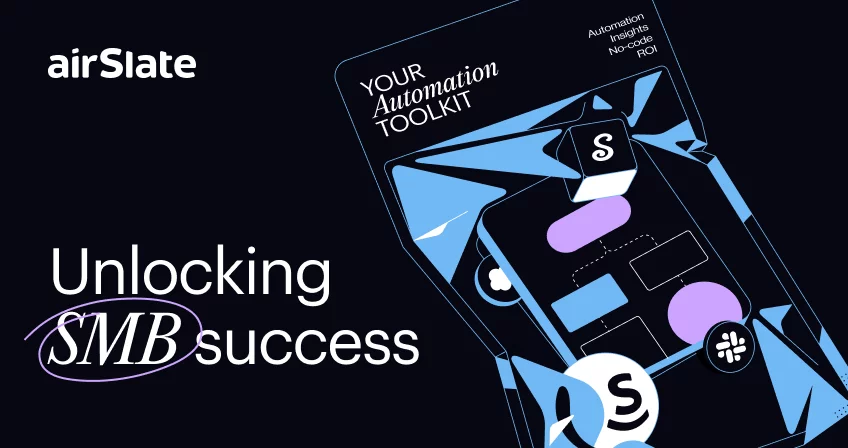
airSlate offers a visual drag‑and‑drop interface that lets users build custom workflows without writing code. These workflows connect documents, forms, routing conditions, and automated actions to remove manual steps from business processes.
Overview of Top Workflow Automation Tools
Document Generation & Automation
The tool enables automated creation of documents such as contracts, invoices, and forms from templates. It dynamically fills fields with data from other systems to reduce manual data entry and errors.
eSignature Integration
Integrated digital signatures allow documents to be signed legally and securely online. This eliminates the need for physical signatures and speeds up execution of agreements.
No‑Code Bots & Integrations
airSlate uses automation “bots” to pre‑fill information, send reminders, route steps, and integrate with third‑party software systems like CRMs and cloud storage services. These bots help tie workflows across systems without coding.
Forms and Data Capture
Users can build interactive web forms and surveys to collect structured data from internal teams or external contacts. Data captured can automatically trigger workflows and populate documents.
Reporting and Analytics
The platform includes tools to monitor the performance of workflows and document processes. Users can track statuses, bottlenecks, usage patterns, and derive insights to optimize operations.
Common Use Cases
Contract Lifecycle Management
Teams can use airSlate to generate contracts from templates, route them for approval, collect legally binding eSignatures, and store executed agreements with audit trails.
Internal Approvals and Compliance
Workflows that need multi‑step approvals — such as HR onboarding or finance requisition approvals — can be automated to streamline routing and tracking.
Customer Onboarding & Data Intake
Companies can use forms and document workflows to collect customer information, verify data, and push that data into backend systems without manual intervention.
Survey and Feedback Collection
Users can build automated review and feedback surveys that trigger follow‑up actions based on responses, helping with customer insights and quality monitoring.
Potential Advantages
Efficiency Gains
Automating repetitive document processes reduces manual effort, decreases turnaround times, and lowers the risk of human error.
No‑Code Accessibility
Because users can set up workflows without coding skills, airSlate can be used by business teams rather than relying solely on IT resources.
Integration Capabilities
The platform connects with popular business applications and CRMs, enabling seamless data flow across systems.
Compliance and Audit Trails
Built‑in documentation of actions and approvals helps support compliance needs and provides transparency for audit purposes.
Limitations & Considerations
Learning Curve for Complex Workflows
While airSlate is no‑code, building more advanced workflow logic and integrations may take time for new users to learn.
Mixed User Reviews
Some users report challenges with accessibility requirements and external user experiences, suggesting that some aspects of the interface and usage conditions can be frustrating.
Pricing Structure Complexity
The platform’s pricing and credits system can be difficult to estimate for businesses with fluctuating workflow volumes, and advanced features may require higher‑tier usage.
Who Should Consider
Medium to Large Organizations With Complex Docs
Businesses with heavy document workloads, multi‑step approvals, compliance needs, or integrations with CRM and data systems can benefit most from airSlate’s automation capabilities.
Teams Wanting No‑Code Solutions
Teams without technical developers can still create automated workflows using visual tools and bots.
Who May Want to Avoid AirSlate
Small Teams With Simple Needs
If a business only needs basic document storage and occasional eSignatures without workflow complexity, a full automation platform like airSlate may be more than needed.
Users Looking for Lightweight Apps
Organizations that need minimal functionality with a straightforward interface might find this platform too robust for their requirements.
Comparison With Similar Tools
Compared with standalone eSignature tools, airSlate integrates full workflow automation beyond signature collection. Against general automation builders, it emphasizes document generation and no‑code bots specific to document‑centric processes. This positions it between basic form/eSignature tools and enterprise workflow suites.
Final Educational Summary
AirSlate is a comprehensive document automation and workflow solution designed to reduce manual work and tie digital document processes into automated sequences. It uses visual builders and no‑code bots to let teams across functions — from legal to operations to HR — streamline approvals, signatures, and data capture. While it may be more complex for small use cases, its strength lies in orchestrating multi‑stage business workflows with minimal manual effort.
Disclosure: This article is for educational and informational purposes only. Some links on this website may be affiliate links, but this does not influence our editorial content or evaluations.