Introduction
Managing multiple social media platforms has become a complex task for businesses, agencies, and organizations that maintain an online presence. Over time, social networks have evolved into essential communication channels where brands publish updates, respond to audiences, monitor discussions, and evaluate performance metrics. As the number of platforms increases, coordinating content and interactions manually becomes difficult and time-consuming.
To address these challenges, a category of software known as social media management platforms has emerged. These tools provide centralized dashboards where users can plan posts, track engagement, analyze audience activity, and monitor brand mentions across several networks at once. Instead of switching between individual platforms, teams can organize workflows from a single environment.
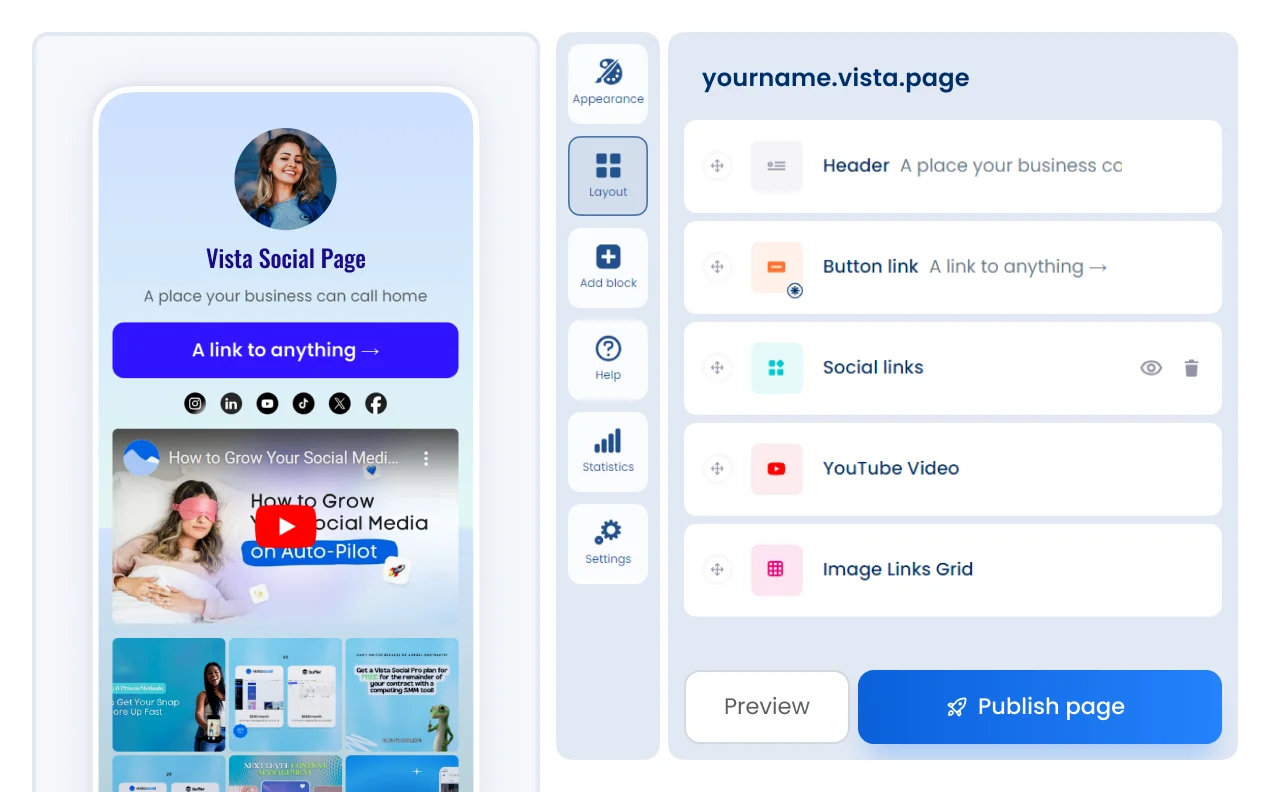
Within this category, Vista Social is one example of a platform designed to assist with social media publishing, analytics, and communication management. Tools like Vista Social illustrate how digital marketing teams increasingly rely on specialized software to streamline content scheduling, engagement monitoring, and social media reporting.
This article examines Vista Social from an educational and analytical perspective, focusing on its functionality, common use cases, and practical considerations for individuals or teams evaluating social media management software.
What Is Vista Social?
Vista Social is a social media management platform that provides tools for publishing, monitoring, analytics, and collaboration across multiple social networks. The platform is typically used by marketing teams, agencies, and businesses that manage content and interactions on platforms such as Facebook, Instagram, LinkedIn, Twitter/X, TikTok, and other supported networks.
Rather than operating as a standalone social network, Vista Social functions as a centralized management interface. It allows users to organize social media activities in one workspace instead of working separately within each platform.
From a technical classification standpoint, Vista Social belongs to the broader category of social media management and social media scheduling software. Tools within this category often combine several capabilities:
- Content publishing and scheduling
- Social listening and monitoring
- Analytics and reporting
- Inbox and comment management
- Team collaboration workflows
Vista Social is designed to integrate these functions within a unified dashboard. The platform is typically accessed through a web-based interface, and it may also support mobile usage for users who need to monitor activity on the go.
Because social media management often involves collaboration among marketing teams, community managers, and analysts, platforms like Vista Social focus on workflow organization as well as content distribution.
Key Features Explained
Content Scheduling and Publishing
One of the central functions of Vista Social is social media scheduling. Users can create posts in advance and assign them to specific dates and times across multiple platforms. This approach allows organizations to maintain consistent publishing schedules without needing to post manually at each moment.
Scheduling tools often include features such as:
- A visual calendar for content planning
- Bulk scheduling for multiple posts
- Cross-platform publishing options
- Post previews before publication
Content calendars help marketing teams visualize upcoming campaigns, announcements, and regular updates.
Social Media Analytics
Vista Social also includes analytics and reporting tools designed to measure engagement and content performance. These metrics help organizations understand how audiences interact with posts.
Common analytics data may include:
- Engagement metrics such as likes, comments, and shares
- Audience growth over time
- Post reach and impressions
- Performance comparisons across platforms
Reporting tools can help summarize these insights into visual dashboards or downloadable reports, which may be used internally by marketing teams or shared with clients in agency environments.
Unified Social Inbox
Handling audience messages across several networks can become difficult when each platform has separate notifications. Vista Social addresses this issue through a unified social inbox, which gathers messages, comments, and mentions into a single interface.
This feature typically enables users to:
- Respond to comments and messages
- Monitor brand mentions or tags
- Manage direct messages from different networks
- Organize conversations by status or priority
For teams that interact with customers through social media, centralized communication tools can reduce the need to log into multiple platforms repeatedly.
Social Listening and Monitoring
Some social media management platforms incorporate social listening capabilities, and Vista Social includes tools for monitoring online discussions related to keywords, brand names, or industry topics.
Social listening tools help users track:
- Brand mentions across social networks
- Relevant hashtags or keywords
- Industry discussions and trends
- Public sentiment in online conversations
This information can be useful for understanding audience perception and identifying emerging topics within specific industries.
Team Collaboration Tools
Many organizations manage social media through collaborative workflows rather than individual accounts. Vista Social includes features designed to support team-based operations.
These tools may involve:
- Role-based user permissions
- Internal comments or notes on posts
- Approval workflows for scheduled content
- Task assignment among team members
Such features help maintain consistency when multiple people are responsible for content creation, publishing, and engagement.
Content Library and Media Management
Social media teams frequently reuse visual assets such as images, videos, templates, and graphics. Vista Social may include a media library that allows users to store and organize these resources.
A centralized media library can simplify the process of locating previously used assets and maintaining visual consistency across campaigns.
Common Use Cases
Vista Social is typically used in environments where social media activity is frequent and coordinated across multiple accounts. Several typical use cases illustrate how organizations apply this type of platform.
Digital Marketing Teams
Marketing departments often manage multiple brand profiles across several networks. Social media management software helps coordinate campaigns and schedule content while monitoring audience engagement.
Social Media Agencies
Agencies that manage social media accounts for multiple clients frequently rely on centralized dashboards to switch between accounts and produce analytics reports. Platforms like Vista Social can assist in organizing these workflows.
Small and Medium Businesses
Businesses with limited marketing staff may use scheduling tools to maintain regular social media activity without posting manually every day.
Community Management
Brands that interact with customers through comments, direct messages, or social discussions often use unified inbox tools to manage communication more efficiently.
Content Strategy Analysis
Marketing analysts may review performance data to understand which types of content generate higher engagement levels or stronger audience interaction.
Potential Advantages
Several potential benefits are associated with using a social media management platform such as Vista Social.
Centralized Workflow
One of the most practical advantages is the ability to manage multiple social media accounts from a single interface. This reduces the need to move between individual platforms repeatedly.
Improved Content Organization
Scheduling tools and visual calendars help teams plan social media strategies more systematically. Campaigns, product announcements, and seasonal promotions can be arranged in advance.
Data-Driven Decision Making
Analytics dashboards provide information about engagement patterns, audience behavior, and post performance. This data can help guide future content planning.
Team Collaboration
For organizations with multiple contributors, collaboration features support approval processes and shared responsibilities.
Monitoring Brand Activity
Social listening tools allow teams to track mentions, feedback, and discussions that might otherwise be missed across large social networks.
Limitations & Considerations
Despite the benefits associated with social media management platforms, several limitations should also be considered when evaluating tools like Vista Social.
Platform Compatibility
Different social media platforms impose their own restrictions on third-party integrations. As a result, some features may not function identically across all networks.
Learning Curve
Users unfamiliar with social media management dashboards may require time to understand scheduling systems, analytics reports, and collaboration workflows.
Feature Overlap
Organizations that already use specialized analytics tools or customer support platforms may encounter overlapping features.
Data Interpretation Challenges
Analytics dashboards present numerical data, but interpreting that data accurately requires marketing knowledge and context. Metrics alone do not necessarily explain audience behavior.
Cost Considerations
Although many platforms offer tiered pricing structures, organizations must consider whether the available features align with their operational needs.
Who Should Consider Vista Social
Vista Social may be relevant for several types of users based on their operational requirements.
Marketing teams responsible for coordinating social media campaigns across several platforms may benefit from centralized scheduling and analytics tools.
Social media managers who oversee community interactions may find unified inbox features useful for organizing conversations.
Digital agencies that handle multiple client accounts may use collaborative dashboards to streamline reporting and publishing workflows.
Content planners and strategists who analyze engagement metrics could use reporting tools to evaluate performance trends.
Who May Want to Avoid It
Certain users may find that a comprehensive social media management platform is unnecessary for their needs.
Individual creators managing a single account may prefer to use native social media tools rather than an external dashboard.
Organizations with minimal social media activity might not require advanced scheduling or analytics systems.
Teams already committed to a different social media management platform may find that switching introduces unnecessary workflow disruption.
Comparison With Similar Vista Social
Vista Social operates within a competitive category that includes several well-known social media management platforms.
Tools in this category often share overlapping functionality, such as post scheduling, analytics reporting, and social inbox management. However, differences may appear in areas like interface design, pricing models, supported networks, or collaboration features.
Some platforms focus heavily on analytics and reporting, while others emphasize content scheduling and campaign planning. Certain tools may also prioritize social listening capabilities or community management features.
When evaluating Vista Social alongside similar platforms, organizations often compare aspects such as:
- Supported social networks
- Reporting capabilities
- Team collaboration tools
- Content calendar features
- Integration options with other marketing software
Understanding these differences can help teams determine which platform best aligns with their operational workflows.
Final Educational Summary
Social media has become an important communication channel for businesses, organizations, and creators seeking to maintain a digital presence. As activity across platforms expands, managing posts, audience interactions, and analytics through individual social networks can become increasingly complex.
Vista Social represents one example of software designed to address these challenges through centralized management tools. By combining scheduling systems, analytics dashboards, engagement monitoring, and collaboration features within a single interface, platforms in this category aim to simplify social media operations.
From an educational standpoint, Vista Social illustrates how digital marketing technology continues to evolve to support structured workflows, data analysis, and coordinated publishing strategies. While such tools can help organize social media activities, their effectiveness ultimately depends on how teams integrate them into broader content strategies and marketing processes.
Understanding the capabilities and limitations of social media management platforms is therefore an important step for organizations evaluating technology solutions within the digital marketing ecosystem.
Disclosure: This article is for educational and informational purposes only. Some links on this website may be affiliate links, but this does not influence our editorial content or evaluations.