Introduction
Email remains one of the most widely used communication channels for businesses, especially when it comes to outreach, partnerships, and lead generation. However, sending emails manually to multiple recipients can quickly become time-consuming and difficult to manage. Keeping track of replies, scheduling follow-ups, and ensuring messages are sent at the right time often requires a more structured approach.
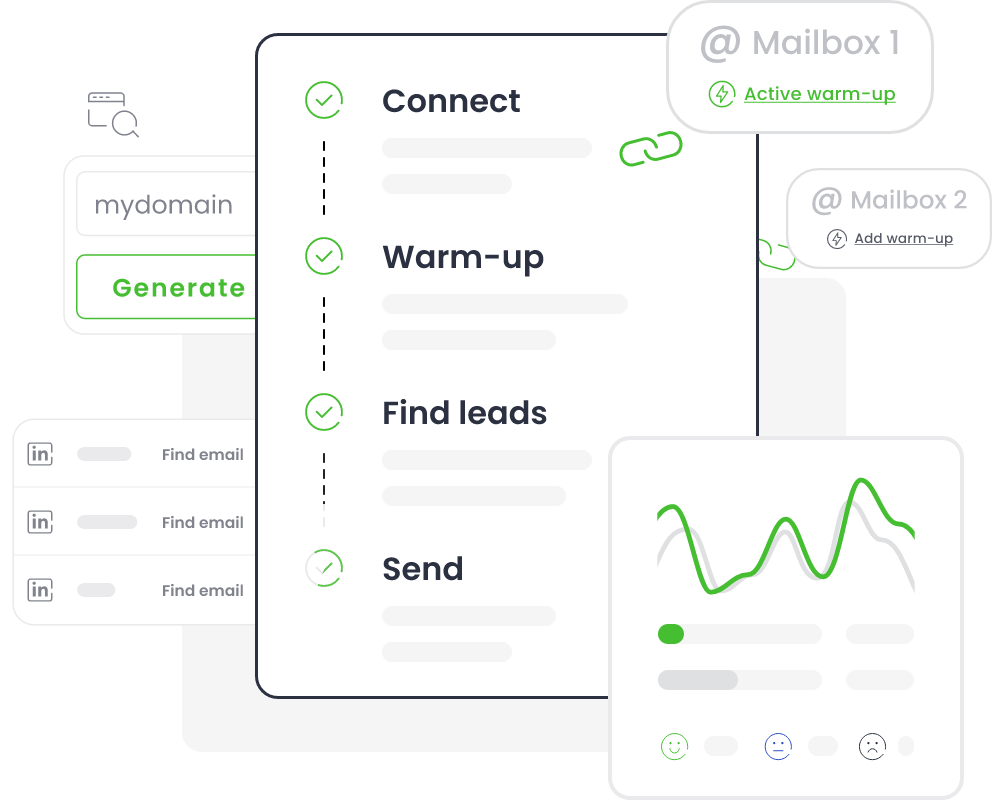
This is where email outreach and automation tools come into play. These tools are designed to help users send personalized emails at scale while maintaining organization and consistency. Instead of writing and sending each email individually, users can create sequences, automate follow-ups, and monitor responses through a centralized system. This approach is commonly used in sales, marketing, recruitment, and business development.
Woodpecker is one such platform that focuses on cold email outreach and follow-up automation. It is designed to help users manage communication workflows more efficiently without relying entirely on manual processes. Tools like Woodpecker are particularly relevant for professionals who regularly reach out to potential clients or partners.
What Is Woodpecker?
Woodpecker is an email outreach and automation software that helps users send personalized emails and manage follow-up sequences. It falls under the category of cold email tools and is commonly used for outbound communication strategies.
The platform allows users to create email campaigns where messages can be sent to multiple recipients while still maintaining a level of personalization. For example, users can include variables such as names or company details within email templates. This helps make automated emails feel more tailored compared to generic bulk messages.
Woodpecker also includes functionality for automated follow-ups, which are triggered if recipients do not respond to the initial email. This reduces the need for manual tracking and ensures that communication continues without constant supervision.
The tool operates through a web-based interface, where users can manage contacts, create campaigns, and track responses. It is often integrated with email providers to send messages directly from the user’s email account, which can help maintain a more natural communication flow.
Woodpecker is typically used by sales teams, marketers, recruiters, and agencies that rely on email outreach as part of their workflow. However, like other tools in this category, it does not guarantee responses or outcomes. Its purpose is to organize and automate the process rather than replace strategy or messaging quality.
Visit Woodpecker Official Website
Key Features Explained
Woodpecker includes several functional features designed to support email outreach and campaign management. These features focus on automation, tracking, and organization.
One of the main features is email campaign creation, where users can build structured outreach sequences. These campaigns can include multiple steps, such as initial emails and follow-ups, which are sent based on predefined conditions.
Another feature is personalization variables, which allow users to insert dynamic content into emails. This helps create messages that appear more individualized, even when sent to multiple recipients.
The platform also offers automated follow-ups, which are triggered when a recipient does not reply within a specified time frame. This ensures that outreach efforts continue without manual intervention.
Reply detection is another important feature. The system can identify when a recipient responds and automatically stop further follow-ups for that contact. This helps avoid unnecessary or repetitive messages.
Woodpecker may also include deliverability-related tools, which aim to improve the chances of emails reaching inboxes rather than spam folders. This can involve managing sending patterns or monitoring email activity.
Additionally, users can access campaign analytics, such as open rates, reply rates, and engagement metrics. These insights help users understand how their campaigns are performing.
Common Use Cases
Woodpecker is used in several professional contexts where email outreach is a regular activity. One common use case is sales outreach, where teams contact potential clients to introduce products or services. The tool helps manage large volumes of emails while maintaining a structured workflow.
Another use case is lead generation, where businesses reach out to prospects to initiate conversations. Automated follow-ups can help increase the chances of receiving responses over time.
In recruitment, professionals may use Woodpecker to contact potential candidates. Instead of sending individual emails, recruiters can create campaigns that reach multiple candidates with personalized messages.
Partnership outreach is another scenario. Companies often use email to connect with potential partners, collaborators, or affiliates. The tool can help organize and track these communications.
Freelancers and agencies may also use Woodpecker to manage client outreach and maintain consistent communication with prospects.
Potential Advantages
One potential advantage of Woodpecker is automation of repetitive tasks, which can reduce the time spent on manual email sending and follow-ups. This allows users to focus more on strategy and communication quality.
Another advantage is structured campaign management, where all outreach activities are organized within a single platform. This can improve clarity and reduce confusion.
The use of personalization variables may help create more relevant messages compared to generic bulk emails.
Additionally, tracking and analytics provide insights into campaign performance, helping users understand engagement patterns.
The platform’s ability to integrate with email accounts can also help maintain a more natural sending process.
Limitations & Considerations
Woodpecker has several limitations that users should consider. One key factor is email deliverability, which depends on multiple external elements such as domain reputation and email content. The tool itself cannot fully control whether emails reach inboxes.
Another limitation is the learning curve, especially for users who are new to email outreach strategies. Setting up effective campaigns requires understanding timing, messaging, and audience targeting.
There may also be limitations in customization, depending on how complex users want their campaigns to be.
Additionally, users should be aware of compliance and regulations, such as email marketing laws, when conducting outreach campaigns.
The tool is also dependent on third-party email providers, meaning performance can be influenced by external systems.
Who Should Consider Woodpecker
Woodpecker may be suitable for sales professionals, marketers, recruiters, and agencies that regularly perform email outreach and need a structured system to manage it.
Who May Want to Avoid Woodpecker
This tool may not be necessary for individuals who send occasional emails manually or do not require automation. It may also be less suitable for users who prefer fully manual communication without automated sequences.
Comparison With Similar Tools
Woodpecker operates in the same space as tools like Mailshake, Lemlist, and Reply.io. These platforms share similar goals but differ in features such as personalization depth, automation complexity, and integrations.
Some tools focus more on creative outreach (like visual emails), while others emphasize automation workflows. Woodpecker provides a balance of automation and simplicity, though exact capabilities vary.
Final Educational Summary
Woodpecker is an email outreach and automation tool designed to help users manage campaigns, send personalized emails, and automate follow-ups. It supports structured communication workflows in sales, marketing, and recruitment.
While it offers practical features for organizing outreach, it also has limitations related to deliverability, learning curve, and external dependencies. Its usefulness depends on how it is implemented and the needs of the user.
Readers should evaluate such tools based on their communication goals, technical requirements, and compliance considerations.
Disclosure: This article is for educational and informational purposes only. Some links on this website may be affiliate links, but this does not influence our editorial content or evaluations.