
Introduction: Why Businesses Are Ditching Traditional Contracts
Let’s be honest—contracts have always been a pain. Endless email threads, outdated PDFs, missed signatures, and version confusion… it’s a mess. If you’ve ever chased a client just to get a document signed, you already know how inefficient the traditional process is.
That’s exactly where tools like Oneflow step in. Instead of static PDFs, Oneflow offers dynamic, trackable, and interactive contracts that actually speed up deals instead of slowing them down. And in a world where businesses compete on speed, that’s a serious advantage.
But here’s the real question:
Is Oneflow actually worth it, or should you go with something like PandaDoc instead?
Let’s break it down in a way that helps you make a confident buying decision.
Quick Summary Table
| Product | Best For | Pricing | Key Feature |
|---|---|---|---|
| Oneflow | Sales teams & scaling businesses | Custom pricing | Dynamic, editable contracts |
| PandaDoc | Proposals & document automation | Starts low | Strong templates & proposal builder |
What is Oneflow?
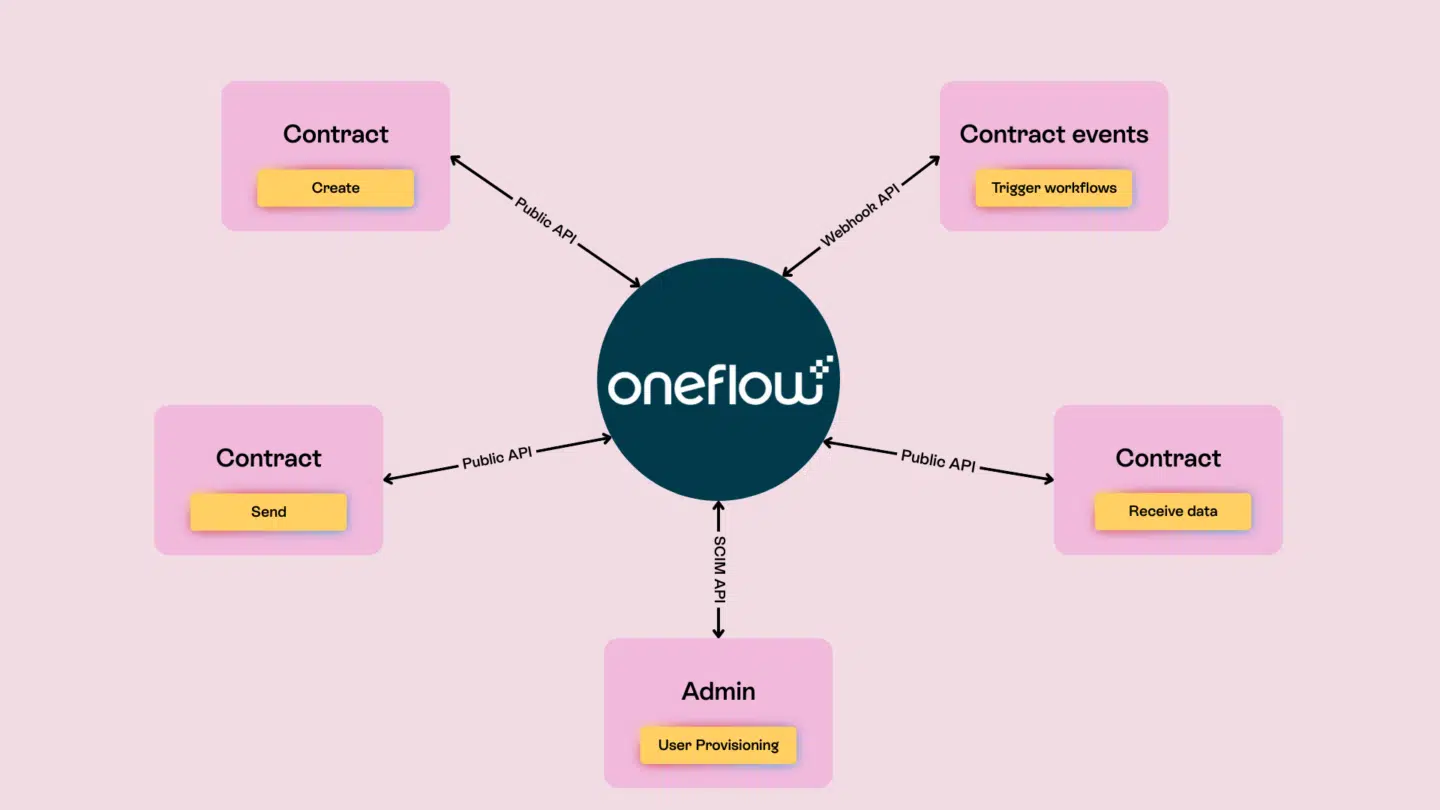
Oneflow is a modern contract management software designed to help businesses create, send, track, and sign agreements digitally—without the friction of traditional document workflows. But it’s not just another e-signature tool.
What makes Oneflow stand out is its live document technology. Instead of sending static PDFs, you send contracts that can be edited in real time—even after they’ve been sent. That means no more version chaos or restarting deals because of a small change.
Think of it like Google Docs—but built specifically for contracts, negotiations, and closing deals faster.
It’s especially popular among:
- Sales teams closing deals quickly
- HR departments managing employee contracts
- Agencies handling client agreements
- SaaS companies scaling operations
And because everything is tracked—from opens to edits—you get full visibility into what’s happening with your contracts at every stage.
Key Features of Oneflow
1. Dynamic Contracts (Game-Changer)
Unlike traditional tools, Oneflow allows you to edit contracts even after sending them. This eliminates back-and-forth emails and version confusion.
Benefit: Faster deal cycles and fewer lost opportunities.
2. Real-Time Tracking & Insights
You can see:
- When a contract is opened
- Who viewed it
- How long they spent on it
Benefit: Perfect for sales teams who want to follow up at the right moment.
3. Built-in E-Signatures
Legally binding e-signatures are included, so you don’t need a separate tool.
Benefit: Everything happens in one place—no tool switching.
4. CRM Integrations
Oneflow integrates with tools like:
- HubSpot
- Salesforce
- Pipedrive
Benefit: Seamless workflow between your sales pipeline and contracts.
5. Templates & Automation
Create reusable templates and automate repetitive tasks.
Benefit: Saves time and reduces human error.
Pros and Cons of Oneflow
✅ Pros
- Live-editable contracts (huge advantage)
- Strong CRM integrations
- Excellent for sales-driven teams
- Real-time tracking insights
- Clean and modern UI
❌ Cons
- Pricing is not transparent
- Slight learning curve for new users
- Not as template-heavy as PandaDoc
Oneflow vs PandaDoc: Which is Better?
This is where things get interesting.
| Feature | Oneflow | PandaDoc |
|---|---|---|
| Document Editing | Live editing after sending | Static after sending |
| Templates | Good | Excellent |
| Proposal Creation | Basic | Advanced |
| Tracking | Real-time insights | Strong analytics |
| Best Use Case | Contracts & agreements | Proposals & sales documents |
Key Difference:
- Oneflow = Contract-first platform
- PandaDoc = Proposal-first platform
If your business relies heavily on closing deals quickly, Oneflow gives you a serious edge.
If you focus more on creating visually rich proposals, PandaDoc might suit you better.
Who Should Use Oneflow?
Oneflow is ideal for:
- Sales Teams → Close deals faster with real-time tracking
- Startups & SaaS Companies → Scale contract workflows easily
- HR Teams → Manage employee agreements efficiently
- Agencies → Simplify client onboarding
If your workflow involves frequent contract changes or negotiations, Oneflow is a no-brainer.
Real Use Cases: How Businesses Actually Use Oneflow
1. Sales Teams Closing Deals Faster
Imagine sending a contract and knowing exactly when your prospect opens it. You follow up at the perfect moment—boom, deal closed.
2. HR Onboarding Employees
Instead of emailing PDFs back and forth, HR teams send interactive contracts that candidates can sign instantly.
3. Agencies Managing Clients
Agencies use Oneflow to streamline agreements, reduce friction, and start projects faster.
Oneflow Pricing Breakdown
Oneflow doesn’t publicly display all pricing tiers, but here’s the general structure:
- Free Plan – Limited features
- Essentials Plan – Basic contract tools
- Business Plan – Advanced workflows & integrations
- Enterprise Plan – Custom solutions
Compared to competitors, Oneflow is positioned as a premium solution, especially for teams that prioritize speed and efficiency.
Alternatives to Oneflow
If you’re still exploring options, here are a few worth considering:
- PandaDoc – Best for proposals
- DocuSign – Industry standard for e-signatures
- Adobe Sign – Strong enterprise integration
- HelloSign – Simple and easy to use
Each tool has its strengths, but Oneflow stands out for its dynamic contract capabilities.
Final Verdict: Is Oneflow Worth It?
If your business depends on closing deals quickly and efficiently, Oneflow is absolutely worth considering.
It’s not just another e-signature tool—it’s a complete contract management platform that removes friction from your workflow. The ability to edit contracts live, track engagement, and integrate with your CRM gives you a serious competitive advantage.
That said, if your focus is heavily on proposal design rather than contract execution, PandaDoc might be a better fit.
But for most businesses looking to scale and streamline operations, Oneflow hits the sweet spot between functionality and performance.
FAQs
1. Is Oneflow better than PandaDoc?
It depends on your needs. Oneflow is better for contract management, while PandaDoc excels in proposal creation.
2. Does Oneflow support legally binding signatures?
Yes, Oneflow provides fully compliant and legally binding e-signatures.
3. Is Oneflow suitable for small businesses?
Yes, especially for startups and growing teams that want to automate contract workflows.
4. Can I integrate Oneflow with my CRM?
Absolutely. It integrates with major CRMs like HubSpot and Salesforce.
5. Does Oneflow offer a free plan?
Yes, but it comes with limited features compared to paid plans.
