
Introduction
In digital product marketing and sales, explaining how a software product works can be challenging. Traditional methods such as static screenshots, videos, or live demos often require time, coordination, or technical setup. These approaches may not always allow users to explore a product at their own pace.
To address this gap, a category of tools known as interactive product demo platforms has emerged. These tools enable businesses to create guided, self-serve product experiences that simulate real software interfaces.
Storylane is one such platform designed to help teams build and share interactive demos without requiring full product access.
What Is Storylane?
Storylane is a software demo automation and interactive product tour platform that allows users to create clickable, guided demonstrations of digital products.
It belongs to the category of:
- Interactive demo software
- Product marketing tools
- Sales enablement platforms
The platform is typically used by:
- SaaS companies
- Product marketing teams
- Sales teams
- Customer success teams
Storylane enables teams to replicate product interfaces and present them as interactive walkthroughs, allowing potential users or stakeholders to explore features in a simulated environment.
Key Features Explained
1. Interactive Demo Builder
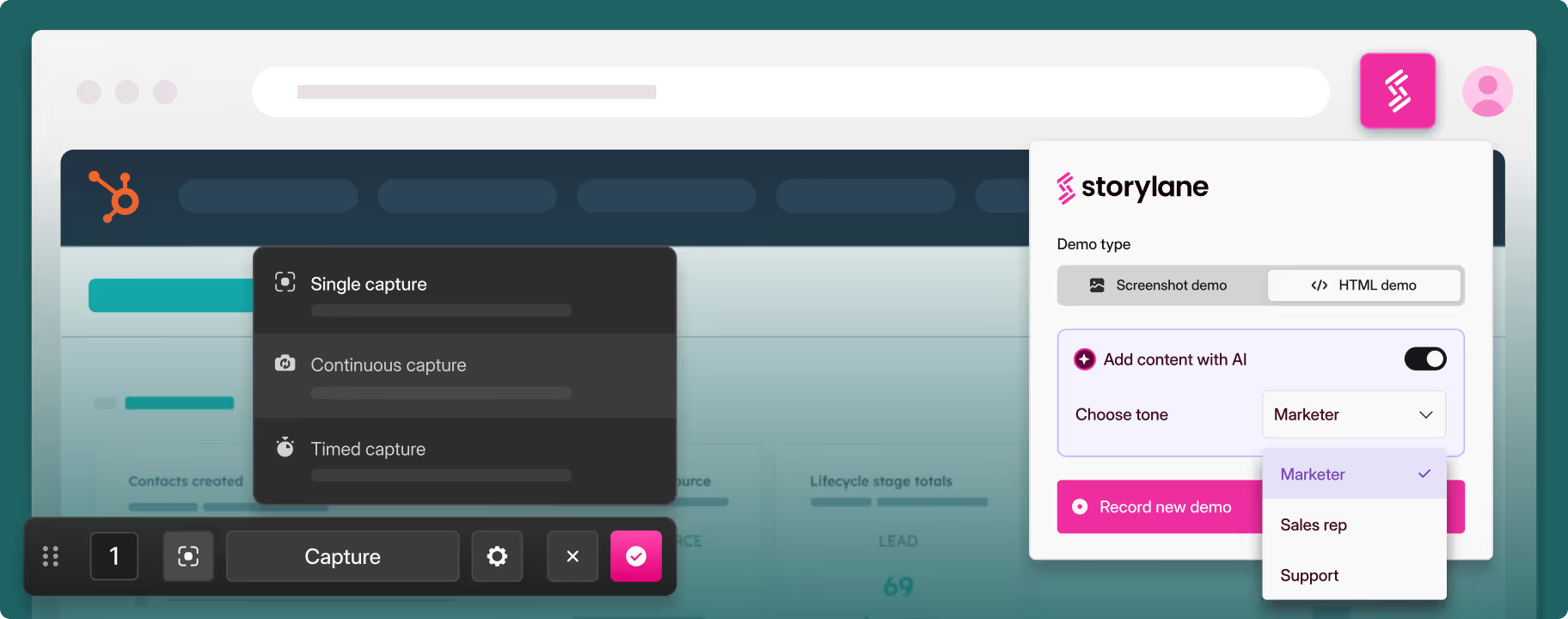
Storylane allows users to create demos by capturing product screens and turning them into clickable experiences:
- Users can simulate workflows
- Add guided steps and tooltips
- Create self-paced product tours
This helps present software functionality without requiring live access.
2. No-Code Editing Interface
The platform provides a no-code environment where users can:
- Edit demo flows
- Customize UI elements
- Add annotations or highlights
This reduces reliance on development teams for demo creation.
3. Personalization Options
Storylane supports customization of demos for different audiences:
- Tailored demos for specific industries or use cases
- Personalized content for sales outreach
- Dynamic elements based on viewer context
This allows teams to present relevant product scenarios.
4. Analytics and Engagement Tracking
The tool includes analytics features that track how users interact with demos:
- Number of views
- Click-through rates
- Drop-off points
These insights can help teams understand user engagement patterns.
5. Sharing and Embedding
Demos created in Storylane can be:
- Shared via links
- Embedded on websites or landing pages
- Integrated into email campaigns
This supports distribution across different channels.
6. Integration Capabilities
Storylane integrates with tools commonly used in marketing and sales workflows, such as CRM platforms and automation tools, enabling data synchronization and streamlined processes.
Common Use Cases
1. Product Demonstrations for SaaS
Companies can showcase software features without requiring live demos or trial accounts.
2. Sales Enablement
Sales teams can share personalized demos with potential customers to explain product functionality.
3. Website Product Tours
Businesses can embed demos on websites to provide visitors with interactive experiences.
4. Customer Onboarding
New users can be guided through product features using structured demo flows.
Potential Advantages
- Enables self-serve product exploration
- Reduces need for live demo sessions
- Supports non-technical users through no-code tools
- Provides engagement insights through analytics
- Allows reuse of demos across multiple channels
These advantages depend on implementation and specific use cases.
Limitations & Considerations
1. Simulation vs Real Product Experience
Interactive demos are simulated environments and may not fully reflect real product behavior.
2. Initial Setup Time
Creating detailed and accurate demos may require planning and effort.
3. Maintenance Requirements
Product updates may require demos to be updated regularly to remain accurate.
4. Learning Curve
Although no-code, users may still need time to understand how to design effective demo flows.
5. Suitability for Complex Products
Highly complex or dynamic software may be harder to represent accurately through static demo simulations.
Who Should Consider Storylane
- SaaS companies showcasing digital products
- Marketing teams creating product-led content
- Sales teams needing scalable demo solutions
- Organizations focusing on self-serve user experiences
Who May Want to Avoid It
- Businesses without digital products to demonstrate
- Teams relying primarily on live or in-person demos
- Users needing full product functionality rather than simulations
- Small teams with minimal need for demo automation
Comparison With Similar Tools
- Walnut
Focuses on interactive demos with strong personalization for sales workflows. - Reprise
Provides product demo and replication tools with advanced customization. - Navattic
Specializes in lightweight, embeddable product tours for websites.
Compared to these, Storylane is generally positioned around no-code demo creation combined with sharing and analytics features.
Final Educational Summary
Storylane is an interactive product demo platform designed to help teams create simulated, self-guided product experiences. It enables businesses to present software features without requiring direct product access.
While it offers flexibility in demo creation and distribution, users should consider factors such as maintenance, accuracy of simulations, and suitability for their product complexity.
This article is for informational purposes only. Readers should evaluate tools based on their own requirements, workflows, and technical needs.
Disclosure
This article is for educational and informational purposes only. Some links on this website may be affiliate links, but this does not influence our editorial content or evaluations.
