
Introduction
Organizations that rely on networks of contacts—clients, partners, investors, media representatives, or collaborators—often face a persistent information management challenge. Contact data tends to become fragmented across email accounts, spreadsheets, messaging platforms, and personal address books. As professional networks expand, maintaining an accurate overview of interactions, conversations, and opportunities becomes increasingly difficult.
Traditional customer relationship management (CRM) systems were designed to address this problem by centralizing contact records and tracking interactions. However, many early CRM platforms were developed primarily for large sales teams with structured pipelines and rigid reporting requirements. Smaller organizations, independent professionals, and cross-functional teams often found such systems complex, resource-intensive, or poorly aligned with relationship-driven workflows.
This gap has led to the emergence of a newer category of lightweight relationship management platforms. These tools attempt to combine CRM-style organization with flexible contact management, collaboration features, and integrations with everyday communication tools.
Folk CRM is one example of this emerging approach. Positioned within the broader ecosystem of modern relationship management software, the platform focuses on organizing contacts, tracking interactions, and enabling teams to manage professional networks more effectively.
The following analysis examines how Folk CRM functions, its primary capabilities, typical use cases, and the contexts in which it may or may not be suitable.
What Is Folk CRM?
Folk CRM is a cloud-based relationship management platform designed to help individuals and teams organize professional contacts, track communication history, and manage collaborative outreach efforts.
Unlike traditional CRM systems that emphasize complex sales pipelines, Folk CRM focuses primarily on relationship-centric workflows. The platform allows users to collect contacts from multiple sources, categorize them into groups, and maintain records of conversations, emails, and notes associated with each contact.
At a functional level, Folk CRM falls within several overlapping software categories:
- Contact management software
- Lightweight CRM platforms
- Relationship intelligence tools
- Collaborative networking databases
The platform aims to simplify contact management by integrating with widely used communication tools such as email services and productivity platforms. By aggregating interactions and metadata into a unified workspace, Folk CRM attempts to provide a structured overview of professional networks.
While some CRM systems are designed primarily for large sales organizations, Folk CRM is often used by smaller teams, startups, partnerships, and professionals who prioritize relationship tracking over complex sales automation.
Key Features Explained
Contact Aggregation and Data Organization
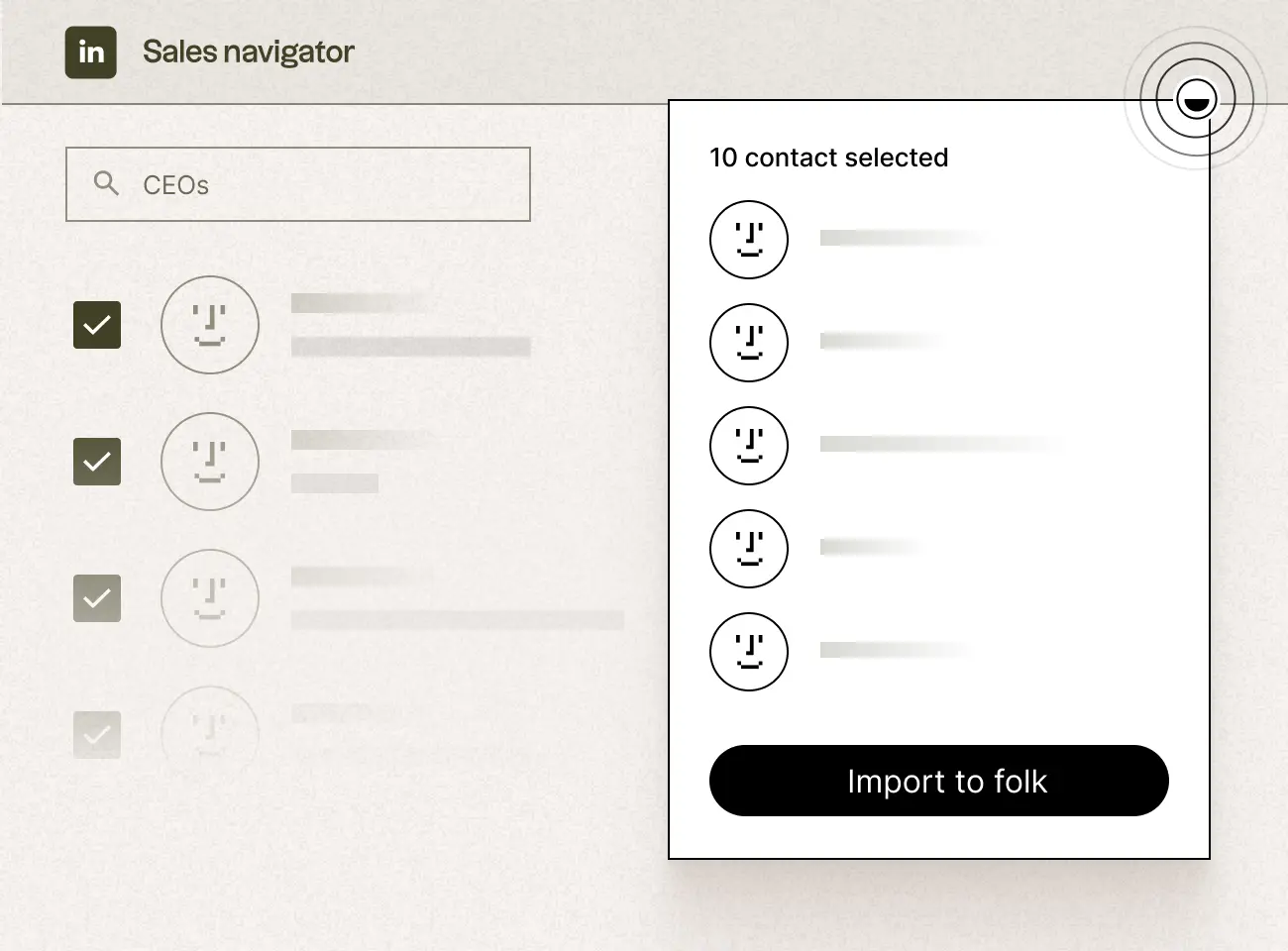
One of the central functions of Folk CRM is the ability to gather contacts from different sources into a centralized database. Contacts can typically be imported from email services, spreadsheets, or other contact management tools.
Each contact profile may contain multiple types of information, including:
- Name and company
- Email addresses and phone numbers
- Social profiles
- Tags or labels
- Custom fields defined by the user
- Interaction history
This structured format enables users to maintain a more comprehensive record of their professional relationships.
Tagging and Grouping Systems
Rather than relying exclusively on rigid pipelines, Folk CRM incorporates flexible tagging and grouping mechanisms. Users can assign contacts to multiple groups or categories based on project involvement, relationship type, or other criteria.
Examples of groups might include:
- Media contacts
- Potential investors
- Clients
- Strategic partners
- Event attendees
This approach allows teams to filter contacts dynamically and manage outreach campaigns without requiring a traditional sales pipeline.
Shared Team Workspace
Folk CRM includes collaboration features that allow multiple team members to work with the same contact database.
In a shared workspace, team members can:
- Add notes about conversations
- Update contact information
- View interaction histories
- assign responsibilities for outreach
- collaborate on communication strategies
This shared visibility can help reduce duplication of communication and ensure that different team members maintain consistent relationship records.
Email Integration and Communication Tracking
Email integration is a core component of Folk CRM. The platform can connect with email services to track conversations with contacts and associate them with specific profiles.
This capability helps create a chronological timeline of interactions, including:
- Email exchanges
- Meeting notes
- Follow-up reminders
- communication updates
By consolidating communication history in one place, users can quickly review prior discussions before reaching out again.
Custom Fields and Flexible Data Structures
Many relationship management systems require predefined data structures. Folk CRM instead allows users to create custom fields that match their specific workflows.
For example, users might add fields for:
- investment stage
- collaboration status
- industry sector
- geographic region
- project category
This flexibility can be particularly useful for teams whose contact networks do not fit conventional sales pipeline models.
Workflow Automation
Although Folk CRM is not primarily positioned as a full automation platform, it includes basic workflow capabilities that help streamline repetitive tasks.
These may include:
- automated reminders
- contact enrichment features
- bulk email outreach tools
- scheduled follow-ups
Automation features help maintain consistent communication while reducing manual administrative work.
Common Use Cases
Folk CRM is used in a range of professional contexts where maintaining structured relationships is important.
Startup Networking and Investor Relations
Startup founders frequently manage relationships with investors, mentors, advisors, and early customers. Folk CRM can function as a centralized database for these contacts, enabling teams to track conversations, funding discussions, and networking events.
Media and Public Relations Outreach
Public relations teams often maintain extensive contact lists of journalists, bloggers, and media outlets. Folk CRM’s tagging system can help categorize media contacts by industry, publication type, or geographic region.
Partnership and Business Development
Organizations involved in partnership development can use Folk CRM to track interactions with potential collaborators. Notes, meeting records, and communication histories can help teams maintain continuity across long negotiation cycles.
Community and Event Management
Event organizers and community managers frequently interact with attendees, speakers, and sponsors. A relationship management platform like Folk CRM can store contact records and event participation history.
Freelancers and Independent Professionals
Independent consultants, designers, and other professionals often rely on long-term relationships with clients and collaborators. Folk CRM provides a structured way to track communication and maintain contact records across multiple projects.
Potential Advantages
Simplified User Experience
Compared with traditional enterprise CRM systems, Folk CRM emphasizes simplicity and usability. The interface design generally focuses on intuitive contact organization rather than complex reporting dashboards.
Flexible Relationship Structures
Many CRM systems assume a linear sales pipeline. Folk CRM’s grouping and tagging systems allow contacts to belong to multiple categories simultaneously, reflecting the more fluid nature of professional relationships.
Cross-Team Visibility
Shared workspaces allow teams to coordinate communication with external contacts. This can reduce redundant outreach and improve internal knowledge sharing.
Integration With Everyday Tools
Because relationship management often occurs through email and messaging platforms, integrations with these tools allow Folk CRM to fit more naturally into existing workflows.
Adaptability Across Industries
The platform’s customizable fields and flexible grouping structures enable users from different sectors to adapt the system to their own requirements.
Limitations & Considerations
Not Designed for Large Enterprise Sales Teams
Organizations with complex sales pipelines, large sales teams, and advanced forecasting requirements may find Folk CRM less suitable than specialized enterprise CRM platforms.
Limited Advanced Analytics
Some CRM platforms provide extensive reporting and predictive analytics tools. Folk CRM generally prioritizes relationship organization over deep data analysis.
Dependence on Integrations
Many of the platform’s benefits rely on integrations with email systems and productivity tools. Organizations using highly specialized or proprietary communication platforms may encounter integration limitations.
Data Migration Considerations
Teams migrating from legacy CRM systems or large spreadsheets may need to plan structured data imports to ensure that contact information is accurately transferred.
Workflow Customization Boundaries
While Folk CRM allows custom fields and flexible grouping, some organizations may require more complex workflow automation than the platform currently supports.
Who Should Consider Folk
Folk CRM may be appropriate for certain types of users and organizational structures.
Startups and Small Teams
Early-stage companies often require relationship management tools that are easy to implement without large administrative overhead.
Networking-Driven Professionals
Individuals whose work depends heavily on maintaining long-term relationships—such as consultants, recruiters, or venture capital analysts—may benefit from structured contact tracking.
Partnership and Community Managers
Roles focused on collaboration, partnerships, and stakeholder engagement may find value in a flexible contact organization platform.
Media and Outreach Teams
Public relations specialists and communication teams often maintain extensive media lists that benefit from tagging and group-based organization.
Who May Want to Avoid It
While Folk CRM can be useful in certain contexts, it may not meet the needs of all organizations.
Large Enterprise Sales Organizations
Companies with multi-stage sales pipelines, quota tracking, and revenue forecasting requirements typically rely on more specialized CRM platforms.
Highly Regulated Industries
Industries requiring strict compliance, complex audit trails, or specialized data governance systems may require enterprise-grade CRM infrastructure.
Teams Requiring Advanced Automation
Organizations that depend on sophisticated marketing automation, AI-driven lead scoring, or predictive analytics may require tools with deeper automation capabilities.
Comparison With Similar Tools
The relationship management software landscape includes several categories of platforms with overlapping functionality.
Traditional CRM Platforms
Established CRM systems often focus heavily on sales pipeline management, forecasting, and revenue tracking. These tools typically provide robust analytics and automation but may require extensive configuration.
Folk CRM differs by emphasizing relationship organization rather than sales process management.
Contact Management Tools
Basic contact management tools allow users to store contact details but usually lack collaboration features or communication tracking.
Folk CRM extends beyond simple contact storage by incorporating shared workspaces and communication timelines.
Networking Databases
Some platforms focus on personal networking, particularly for professionals managing investor or industry contacts. These tools often provide lightweight relationship tracking similar to Folk CRM.
However, Folk CRM integrates collaborative features that support team-based workflows rather than purely individual use.
Outreach and Email Platforms
Email marketing and outreach tools specialize in large-scale messaging campaigns. While they can manage contact lists, they may not maintain detailed relationship histories.
Folk CRM complements outreach workflows by emphasizing long-term relationship context rather than campaign management alone.
Final Educational Summary
Folk CRM represents a modern approach to relationship management software, focusing on organizing professional networks rather than managing complex sales pipelines. The platform aggregates contacts from multiple sources, allows flexible categorization through tagging and grouping, and provides shared workspaces where teams can track interactions and communication histories.
Its design reflects broader trends in digital collaboration tools that emphasize simplicity, integration with everyday workflows, and adaptable data structures. These characteristics make the platform suitable for startups, partnership teams, community managers, and professionals whose work relies heavily on maintaining relationships across distributed networks.
However, Folk CRM is not intended to replace large enterprise CRM systems with advanced analytics, complex sales automation, and deep forecasting capabilities. Organizations with those requirements may need more specialized infrastructure.
In the broader context of relationship management software, Folk CRM illustrates how modern tools are evolving to accommodate the increasingly network-driven nature of professional collaboration.
Disclosure
This article is for educational and informational purposes only. Some links on this website may be affiliate links, but this does not influence our editorial content or evaluations.
