
Introduction
Email overload has become a common problem for professionals, freelancers, and teams. Many users receive dozens or even hundreds of emails daily, making it difficult to identify important messages quickly. Traditional filters and manual folders often require constant setup and maintenance, which can still leave inboxes cluttered.
SaneBox is designed to address this challenge by automatically organizing emails using intelligent filtering. Instead of replacing your email provider, it works quietly in the background to sort messages based on importance, helping users manage communication more efficiently.
What Is SaneBox?
SaneBox is an AI-powered email management service that connects to existing email accounts and automatically organizes incoming messages into smart folders. It analyzes email patterns such as sender behavior and user actions to determine which emails deserve attention first.
Unlike standalone email apps, SaneBox integrates directly with services like Gmail, Outlook, Yahoo Mail, and other IMAP-based platforms without requiring software installation.
The main goal of the platform is simple: keep important emails in your inbox while moving less urgent messages out of immediate view.
Key Features Explained
Smart Email Sorting (SaneLater)
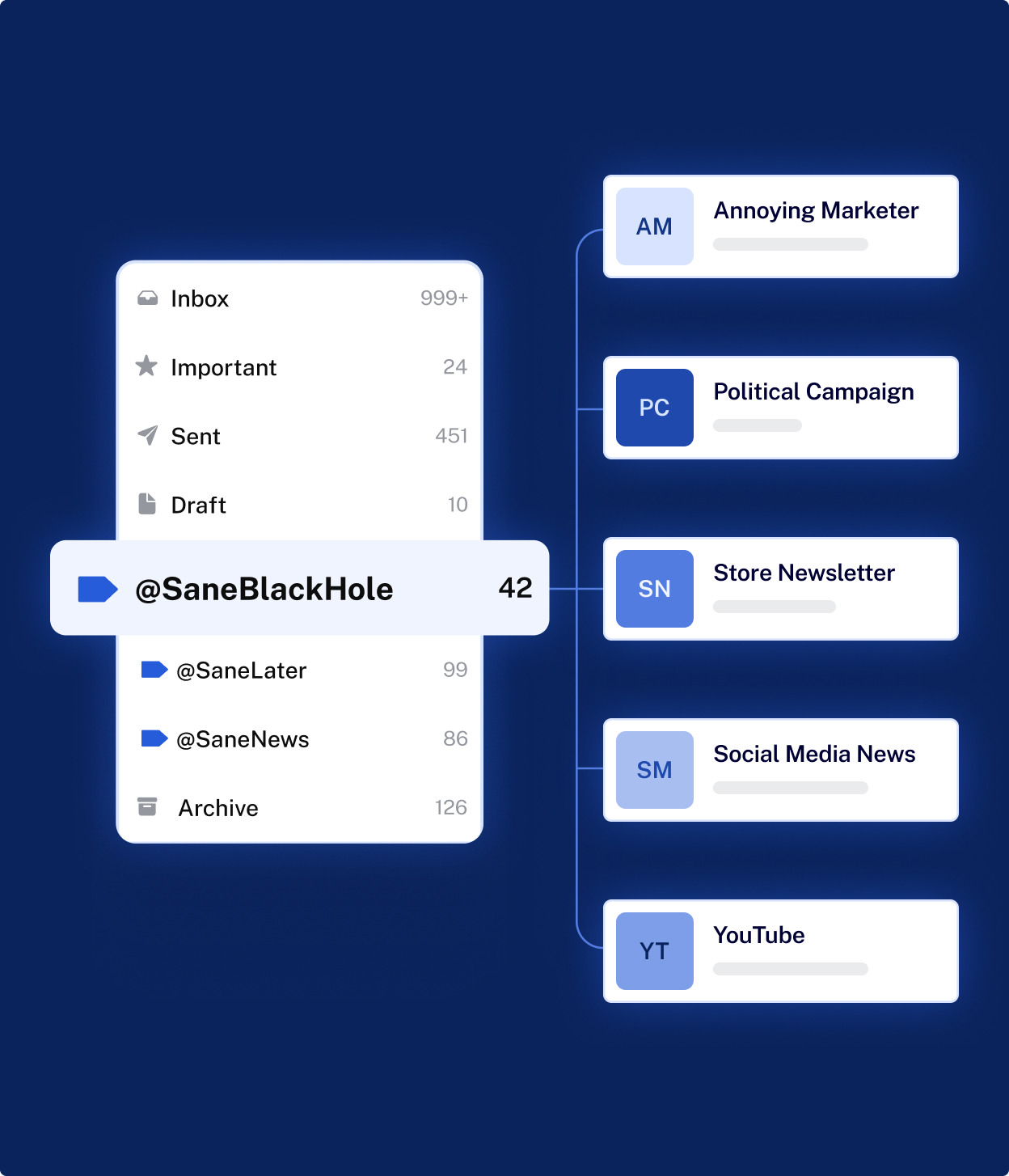
One of the core functions of SaneBox is automatic email prioritization. Incoming emails are analyzed and sorted into folders such as SaneLater, where lower-priority messages are stored for later review. This reduces inbox clutter while keeping emails accessible.
Over time, the system learns from user behavior. Moving emails between folders trains the algorithm to improve future sorting accuracy.
Follow-Up Reminders and Notifications
SaneBox includes reminder tools that notify users about emails requiring action. Users can set reminders directly from messages, ensuring important conversations are not forgotten.
There is also functionality that tracks unanswered emails and sends follow-up alerts when replies are overdue.
Snooze and Scheduling Tools
Emails can be temporarily hidden using snooze folders, allowing messages to return at a chosen time or date. This helps users focus only on current priorities without deleting or losing emails.
Daily Digest Summaries
Instead of repeatedly checking folders, SaneBox sends a daily summary showing unread low-priority emails. Users can review or archive messages quickly from one overview.
Deep Clean and Storage Management
The Deep Clean feature identifies older or unnecessary emails, allowing users to remove large batches and free inbox storage efficiently.
Works With Existing Email Clients
SaneBox operates through your existing inbox rather than replacing it. The system creates folders or labels directly inside your email service, meaning workflows remain familiar.
Common Use Cases
SaneBox is typically used in situations where email volume becomes difficult to manage manually.
Professionals handling large communication loads often use it to prioritize urgent conversations automatically. Freelancers and consultants benefit from follow-up reminders that prevent missed replies. Teams managing multiple clients may use sorting features to separate newsletters, updates, and essential communications.
It is also useful for individuals attempting to maintain a structured inbox without investing time in complex filtering rules.
Potential Advantages
SaneBox offers several practical benefits when compared with manual email organization methods.
The automatic sorting system reduces time spent reviewing unimportant messages. Many users report improved focus because only priority emails remain visible in the main inbox. The learning algorithm adapts to user behavior, improving accuracy over time rather than requiring constant adjustments.
Because it works across multiple email providers, users do not need to migrate accounts or learn a new interface. Security practices such as encrypted credentials and privacy-focused handling are also emphasized within the platform design.
Limitations & Considerations
Despite its automation benefits, SaneBox may not suit every workflow.
The system requires an initial learning period during which users must train sorting behavior. Some users may need to check additional folders regularly until trust in automation develops. Community discussions also note that adapting to new folder habits can feel like a workflow change for certain users.
Since it operates as a subscription service, ongoing cost may also be a consideration compared with built-in email filters.
Who Should Consider SaneBox
SaneBox may be suitable for:
- Professionals receiving high email volumes daily
- Freelancers managing multiple conversations simultaneously
- Remote teams coordinating through email communication
- Users who want automation without switching email providers
Who May Want to Avoid It
The tool may be less ideal for:
- Users with very low email activity
- Individuals comfortable managing filters manually
- Those who prefer fully manual inbox control without automation
Comparison With Similar Tools
Compared with traditional email filters, SaneBox focuses on adaptive learning rather than fixed rules. Manual filters require setup for each condition, while SaneBox improves automatically through usage patterns.
Unlike alternative email applications that replace your inbox entirely, SaneBox functions as an add-on layer, allowing users to keep their existing email environment unchanged.
Some productivity tools offer similar prioritization features, but many require switching platforms or altering workflows significantly.
Final Educational Summary
SaneBox is an email organization service designed to reduce inbox clutter through intelligent automation. By sorting messages, setting reminders, blocking unwanted senders, and summarizing low-priority emails, it aims to simplify email management without changing how users access their inbox.
Its effectiveness largely depends on email volume and willingness to allow automated organization. For users overwhelmed by daily communication, the platform provides a structured approach to prioritization while maintaining compatibility with existing email services.
Disclosure
This article is written for educational and informational purposes only. It is an independent overview created without promotional intent, sponsorship influence, or affiliate positioning. Features and capabilities described are based on publicly available information and may change over time.
